UX failures: A practical triage system for finding and fixing broken journeys
Learn how to diagnose UX failures, connect evidence to journey steps, test edge cases, and prioritize high-impact fixes with a practical triage system.
By Ajay Khatri ·
TL;DR
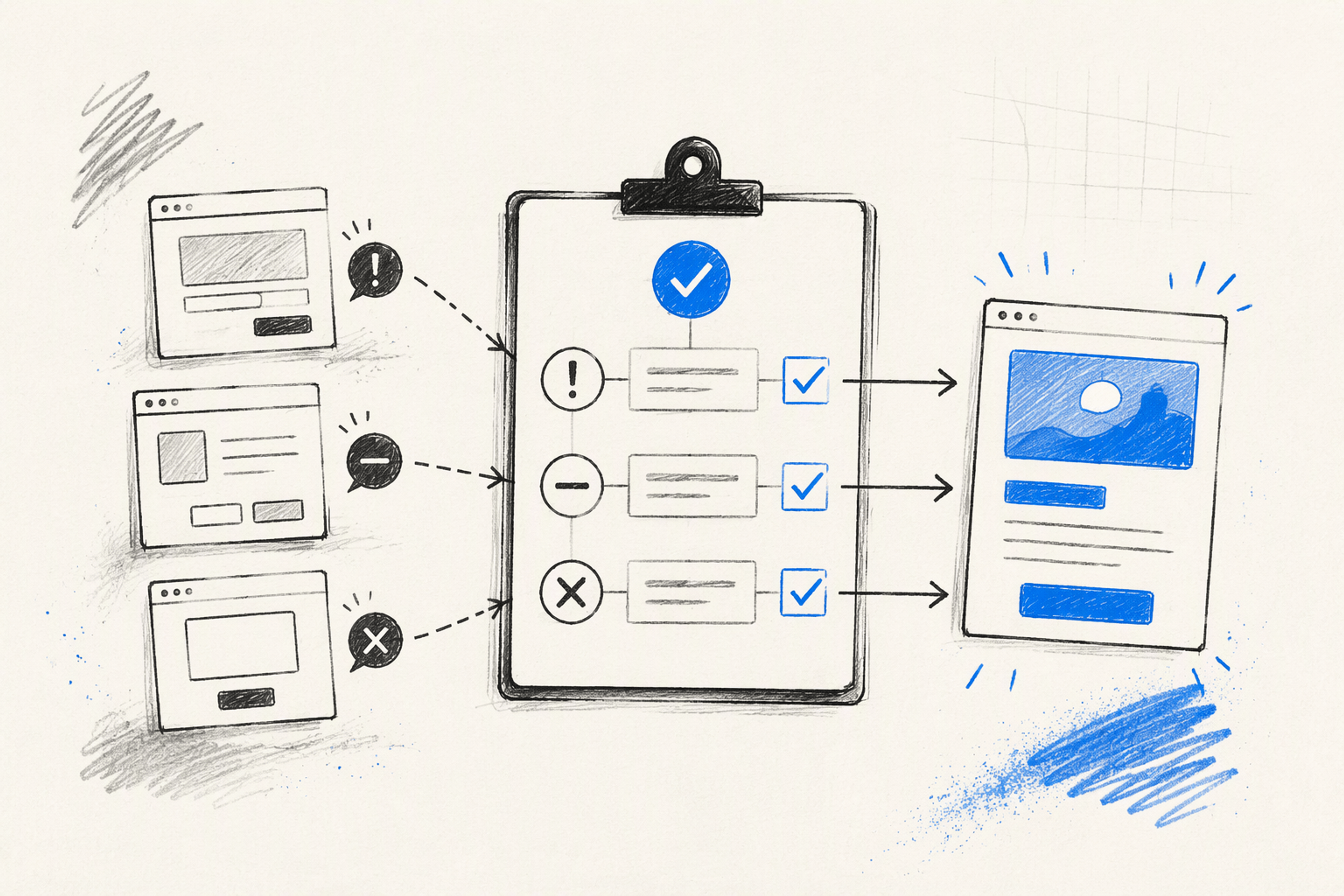
UX failures are repeatable breakdowns between what users intend to do and how a product responds—not simply unattractive screens or isolated complaints. We diagnose them by classifying the problem, combining evidence sources, mapping signals to journey steps, testing production edge cases, and prioritizing fixes by impact, frequency, cost, and confidence.
Table of Contents
- TL;DR
- Table of Contents
- UX failures are evidence patterns, not isolated complaints
- First, classify the failure before redesigning anything
- Find UX failures by combining five evidence sources
- Map each signal to the broken journey step
- Test the states polished mockups usually miss
- Prioritize UX failures by impact, frequency, cost, and confidence
- Five UX failure examples diagnosed from signal to fix
- Validate the fix in production—not only in Figma
- UX failures, AI, and the future of UX design
- FAQ
- Turn product friction into a focused fix
UX failures are evidence patterns, not isolated complaints
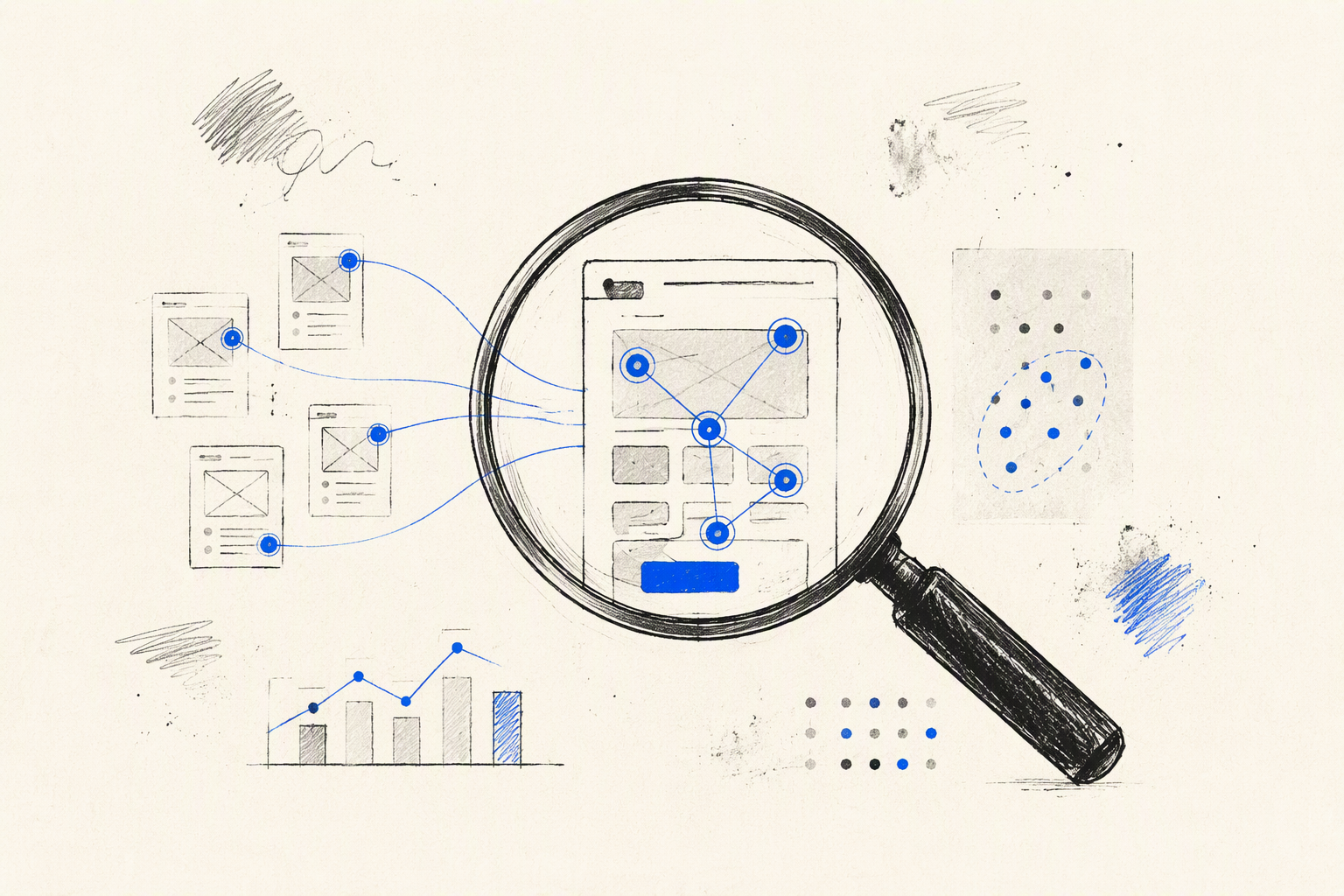
Most UX failures are not ugly. They can be polished, approved, and quietly disrupting important journeys while the product team debates surface details.
A complaint is a clue. A UX failure is a repeatable breakdown between user intent and product response. If several users hesitate at the same decision, lose work after the same error, or contact support about the same task, we have a pattern worth diagnosing.
This is not a gallery of embarrassing interfaces. Such collections may be entertaining, but they rarely help a product team determine whether its real problem sits in the journey, interface, content, accessibility, or code.
For broader context, our guide to why polished products still create friction and lose trust explains how apparently refined experiences can still damage comprehension and confidence. Here, we focus on triage: finding the broken step, establishing evidence, and deciding what to fix first.
We look beyond individual screens. Our diagnostic work connects observed behavior, interaction logic, visual hierarchy, product content, and frontend execution. That combined view matters because a flow that appears complete in Figma may behave differently with latency, validation rules, long content, keyboard navigation, and production data.
What counts as a UX failure during diagnosis?
We treat an interaction as a UX failure when people cannot reliably:
- Understand what is happening
- Complete their intended task
- Recover when something goes wrong
- Trust the result or system status
An interface can look consistent and work according to its specification while still failing users. If the interaction model prevents progress or leaves the outcome uncertain, the experience needs attention.
Why one complaint is not always one problem
Several differently worded complaints may trace back to one broken journey step. “The form reset,” “my password did not work,” and “I had to start again” could all originate from destructive validation after submission.
The reverse is also true. One complaint such as “checkout is broken” may contain several issues:
- A technical request is slow
- The interface shows no loading state
- The button remains enabled
- The payment status is unclear
- Recovery instructions are missing
Those issues should not become one vague redesign task. The technical response, interaction feedback, button behavior, and microcopy need different corrections, even though users experience them as a single failure.
First, classify the failure before redesigning anything
Teams often respond to friction by redesigning the visible screen. That wastes time when the actual cause is delayed feedback, an unreasonable validation rule, missing content, inaccessible markup, or a responsive implementation gap.
We recommend classifying the failure before proposing a solution.
| Failure class | Diagnostic question | Typical signals | Likely response |
|---|---|---|---|
| UX logic | Does the journey support the user’s goal? | Dead ends, unnecessary steps, unclear recovery | Change the flow or interaction model |
| UI presentation | Can users perceive hierarchy and available actions? | Missed controls, weak legibility, inconsistent states | Improve layout, affordance, or visual hierarchy |
| Content or microcopy | Do labels and messages explain decisions clearly? | Misinterpretation, repeated questions, uncertain outcomes | Rewrite labels, instructions, errors, or status messages |
| Accessibility | Can people operate and understand the interaction through different input and assistive modes? | Keyboard blocks, missing labels, invisible focus, unreadable states | Correct semantics, focus, contrast, announcements, and targets |
| Technical implementation | Does the intended behavior execute reliably? | Failed requests, delayed updates, overflow, device-specific breakage | Fix code, state management, performance, or responsive behavior |
Classification does not mean forcing every issue into one box. It establishes where the investigation should begin and which disciplines need to work together.
The same principle applies across the product design workflow connecting UX, UI, and the final build. Decisions need continuity from problem framing to production behavior. Otherwise, implementation gaps become user-facing failures.
UX failure, UI defect, or technical bug?
A UX failure occurs when the journey or interaction model prevents people from understanding, progressing, or recovering. Requiring someone to leave checkout to discover delivery restrictions is a journey problem.
A UI defect weakens hierarchy, legibility, affordance, or consistency. A primary action styled like passive text may technically work, but people can overlook it.
A technical bug means the intended interaction does not execute reliably. The button may be clear and the flow sound, yet the request fails or the application loses state.
These categories often overlap. A failed request is technical; showing no error or recovery option turns it into a UX failure. A status message may exist, but weak contrast and poor placement can introduce UI and accessibility defects at the same time.
Classification should clarify ownership without creating silos. Users do not care which team created the breakdown. They experience one product.
Accidental mistake or dark pattern?
Intent and incentives separate usability mistakes from dark patterns. An unclear cancellation control may result from weak hierarchy. Repeatedly hiding cancellation while making upgrades prominent suggests deliberate obstruction.
Hidden fees, misleading consent controls, preselected additions, and intentionally difficult cancellation should not be softened into “bad UX.” They are manipulative product decisions that work against informed choice.
This distinction changes the response. Accidental failures need diagnosis and correction. Dark patterns require an ethical and product-policy decision, not merely a cleaner interface.
Find UX failures by combining five evidence sources
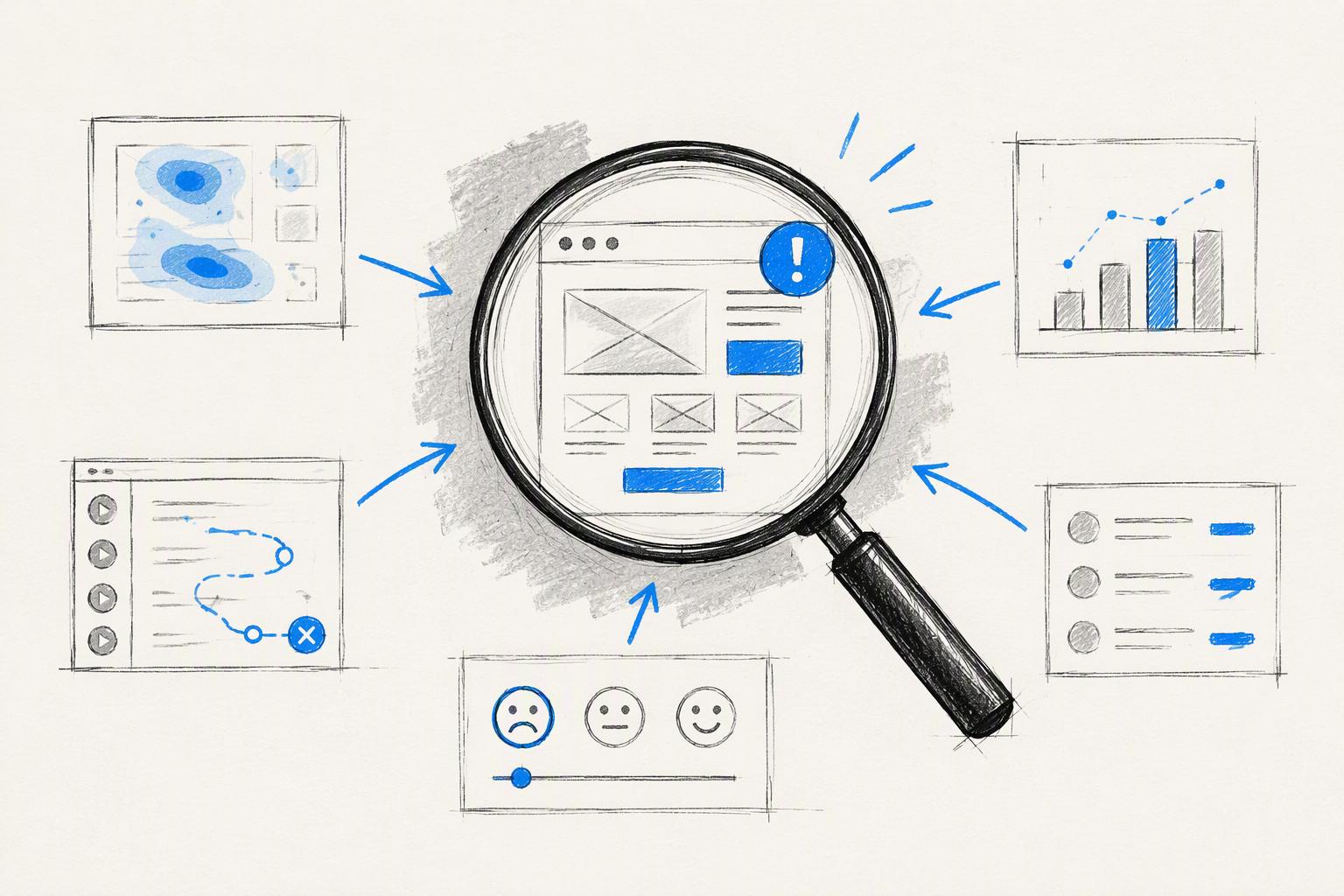
No single research method reveals the complete failure. Product analytics may show where users leave, but not why. Interviews may explain frustration, but not how widely the problem occurs.
We use triangulation: multiple evidence sources pointing toward the same broken task, state, or transition. Five sources are especially practical:
- Product analytics
- Session replays
- Support logs
- Usability testing
- Frontend inspection
More research does not automatically create better UX. It can become a delay tactic when a team already has strong evidence of a serious blocker. If users are losing input after a known error, preserving that input should not wait for another discovery cycle.
Product analytics show where the journey breaks
Analytics can reveal:
- Abandonment at a particular step
- Repeated actions or submissions
- Long completion times
- Backtracking between screens
- Differences by device, browser, or entry point
These signals locate the likely failure. A drop after password submission, for example, gives the team a precise step to inspect.
Analytics show what happened, not necessarily why. A long completion time could indicate confusion, careful consideration, interruption, or a slow technical response. We use data to narrow the investigation rather than inventing intent.
Session replays show hesitation and failed recovery
Session replays add behavioral detail to quantitative signals. Useful patterns include repeated clicks, duplicate submissions, cursor searching, scroll loops, abrupt backtracking, and untouched calls to action.
A replay might show someone repeatedly editing a valid-looking field after submission. That supports a hypothesis about validation, but it does not prove what the person believed.
Privacy-safe replays should help us form questions, not read minds. We pair observed behavior with the interface state, analytics, support language, or usability testing.
Support logs reveal the language users use
Support conversations often contain clear descriptions of what users expected. The mistake is treating every ticket as a separate incident.
We cluster tickets by:
- User task
- Journey step
- Product state
- Device or account condition
- Desired outcome
- Recovery attempted
Patterns often emerge around labels, permissions, billing, status, missing data, and recovery. Many differently phrased tickets may describe the same unclear system response.
Support volume alone should not determine priority. Some severe failures prevent people from contacting support, while minor irritations may generate numerous easy-to-send messages.
Usability testing explains why users get stuck
Usability testing is most useful when it evaluates a task and decision point—not whether participants say they like the interface. Someone can appreciate the visual style while misunderstanding the primary action.
We observe what people expect before acting, what information they use, where their mental model diverges, and whether they can recover without assistance. Realistic tasks expose issues that preference questions miss.
Existing users matter when evaluating redesigns. They bring learned behavior, familiar navigation paths, and expectations built through repetition. A redesign that seems simpler to a new participant may disorient experienced users by moving or hiding familiar controls.
Our practical framework for better product decisions helps connect this evidence to broader principles rather than treating every comment as a literal instruction.
Frontend inspection reveals implementation gaps
Frontend inspection makes many supposedly mysterious failures concrete. We compare the intended interaction with the production experience and examine:
- Focus order and visible focus
- Keyboard operation
- Validation timing
- Loading and disabled states
- Request latency and failure behavior
- Responsive layout
- Content overflow
- Browser-native behavior
- Status announcements
- State and input preservation
A design-file review cannot reveal whether focus jumps to the wrong place after an error or whether a submit button remains active during a delayed request. Production behavior is part of the design, not an engineering footnote.
Map each signal to the broken journey step
An unstructured list of complaints encourages disconnected fixes. A journey model shows where signals converge and whether one root cause produces several symptoms.
For each task, we map six elements:
- User goal: What outcome is the person trying to achieve?
- Entry point: Where and in what context does the task begin?
- Action: What must the user decide or do?
- System response: What does the product display or execute?
- Recovery path: What happens if the action cannot continue?
- Outcome: How does the user know the task is complete?
Attach analytics, replay observations, support tickets, test findings, and implementation notes to the relevant step. This creates a compact diagnostic map instead of a backlog of vague interface complaints.
Transitions deserve special attention. Products often fail between action and response: someone submits information, but the interface does not acknowledge receipt; the system completes a task, but the outcome remains ambiguous.
Entry and orientation failures
Entry failures prevent people from understanding where they are and what they can accomplish. Common signs include:
- An unclear page purpose
- Weak visual hierarchy
- Unfamiliar or inconsistent navigation
- Missing account, permission, or process context
- Competing primary actions
- Content that assumes knowledge users do not have
A polished landing screen can still fail if its headline, labels, and calls to action suggest different next steps. The first fix is not automatically a new layout. We first establish the intended decision.
Action and feedback failures
Action failures appear when people are ready to proceed but cannot act confidently. Vague button labels, hidden requirements, surprising defaults, and controls with weak affordance all create hesitation.
Feedback failures happen after the action. Delayed responses, ambiguous loading, silent success, and unclear status changes leave people wondering whether anything happened.
Technical and interaction design issues often merge here. A request may legitimately take time, but the interface should acknowledge the action, prevent unsafe repetition, and communicate what comes next.
Recovery failures
Every meaningful interaction needs a recovery model. A generic message such as “Something went wrong” reports failure without helping anyone resolve it.
High-friction recovery patterns include:
- Clearing valid input after one field fails
- Moving focus away from the error
- Losing progress when users navigate back
- Blocking alternative routes
- Hiding the failed field outside the viewport
- Providing no retry or support path
Recovery quality affects trust. A failure that people can understand and resolve is less damaging than a minor issue that traps them in a loop.
Test the states polished mockups usually miss
Default mockups tend to show ideal content, successful requests, and generous viewports. Production introduces permissions, interruptions, latency, failures, assistive technology, browser behavior, and unpredictable data.
Edge-state review bridges Figma-ready design and production-ready UX. The happy path may be easiest to approve, but costly UX failures often live outside it.
For each important flow, we test:
- Realistic and extreme content
- Different roles and permissions
- Slow and interrupted networks
- Request and validation failures
- Empty and first-use conditions
- Session expiry and interrupted tasks
- Keyboard and assistive technology
- Narrow, short, zoomed, and dynamic viewports
Error, empty, loading, offline, and success states
Every state should answer three questions:
- What happened?
- What is the system doing now?
- What can the user do next?
An empty state that says “Nothing here” explains the condition but creates a dead end. It should offer a relevant action, clarify how content appears, or explain why access is limited.
Loading states should acknowledge input without creating false certainty. Error and offline states should preserve recoverable work where possible. Success states should confirm the action and make the resulting status or next step clear.
Real content and responsive conditions
We test long names, translated labels, missing images, dense tables, unusual values, dynamic text, and user-generated content. Navigation that fits short English labels may collapse when content expands.
Responsive testing should cover more than a few static frame widths. Review actual browser behavior with:
- Narrow screens
- Smaller viewport heights
- Browser controls
- On-screen keyboards
- Text zoom
- Orientation changes
- Sticky headers and footers
- Wrapping or overflowing content
For data-heavy interfaces, our decision-first dashboard design guide explains why visible information should support action rather than merely fill a polished grid.
Keyboard, screen-reader, and low-vision access
Accessibility is not final-stage polish. If someone cannot reach, identify, operate, or understand an interaction, the product has a functional problem.
We review semantic structure, reading order, accessible labels, visible focus, contrast, status announcements, target size, and keyboard operation. Modal dialogs, menus, validation, dynamic updates, and custom controls need particular attention because visual behavior can conceal missing programmatic information.
Automated checks can flag some defects, but they cannot establish whether a journey makes sense. We combine tool-assisted review with manual keyboard use, screen-reader checks, zoom, and task-based testing.
Prioritize UX failures by impact, frequency, cost, and confidence
A long list of UX failures is not a strategy. Teams need a transparent way to distinguish blockers from irritants and strong evidence from assumptions.
We recommend rating each diagnosed failure across four dimensions:
- User impact: How severely does it disrupt understanding, completion, recovery, access, or trust?
- Frequency: How often does the condition affect relevant users?
- Business cost: How strongly does it affect revenue, retention, support, risk, or operational effort?
- Evidence confidence: How well do multiple sources support the diagnosis?
Keep implementation effort separate. A difficult fix is not less important because it is expensive, and an easy fix is not automatically valuable.
A simple UX failure triage score
Teams that need a lightweight scoring model can rate each factor from 1 to 5 and use this formula:
Priority score = user impact × frequency × business cost × confidence
Multiplication makes issues that are serious across every dimension rise quickly. A blocker supported by weak evidence will rank differently from a frequent problem confirmed by several sources.
The score supports judgment; it should not automate decisions. Regulatory risk, accessibility exclusion, strategic commitments, or the potential for serious harm may justify immediate action regardless of ranking.
Document the reasoning behind every rating. Otherwise, the exercise creates false precision with tidy-looking numbers.
Fix blockers before irritants
Prioritize failures that:
- Prevent task completion
- Cause financial or data loss
- Exclude people from essential functionality
- Produce repeated failed attempts
- Create serious uncertainty or mistrust
- Generate sustained support demand
Cosmetic inconsistency usually ranks lower unless it harms comprehension, accessibility, or confidence. An inconsistent corner radius is not equivalent to an error message that users cannot perceive.
Conversion should not be the only measure. A manipulative change may increase short-term clicks while damaging informed choice and trust.
Separate containment from correction
Containment reduces immediate harm while the durable solution is designed and built. It is useful when a root fix involves architecture, backend behavior, or a substantial workflow change.
Containment might include:
- Adding clear status feedback
- Preserving entered data
- Preventing repeated submissions
- Improving an error message
- Restoring a hidden action
Correction addresses the underlying cause. It may require changes to information architecture, validation logic, permissions, system states, interaction flow, or frontend implementation.
Track both explicitly. Temporary patches become permanent when teams close the issue after containment and forget the broken model underneath.
Five UX failure examples diagnosed from signal to fix
These examples follow the same structure: signal, root cause, priority, and fix. The aim is transferable diagnosis, not a list of famous product mistakes.
Form abandonment caused by hidden validation rules
Signal: Analytics show abandonment after submission, while replays reveal repeated edits to the same fields.
Root cause: Password or formatting requirements appear only after failure. Validation may also clear input, move focus poorly, or disconnect messages from their fields.
Priority: High when the form controls access to signup, payment, or another core task.
Fix: Show reasonable requirements before submission, validate at an appropriate time, focus the first relevant error, preserve valid input, and provide field-specific guidance. We also question whether the rule is necessary instead of merely explaining an unreasonable constraint more clearly.
Onboarding abandonment disguised as a need for more tooltips
Signal: People complete onboarding screens but do not perform the first meaningful product task.
Root cause: The flow explains interface features without establishing a clear goal, action, or visible outcome. More tooltips add reading without restoring purpose.
Priority: High when activation depends on that first task.
Fix: Define the meaningful outcome, shorten the route to it, and show clear feedback when it is achieved. Use guidance at genuine decision points rather than narrating every control.
Checkout duplicates caused by missing loading feedback
Signal: Repeated clicks, requests, or payment attempts appear around checkout completion.
Root cause: The technical response is delayed, but the interface neither acknowledges the action nor prevents unsafe repetition. Latency becomes a UX failure through missing feedback and button behavior.
Priority: Critical because the failure can affect payments, trust, support demand, and reconciliation work.
Fix: Show an immediate processing state, prevent unsafe duplicate submissions, preserve transaction context, and provide an unambiguous result. The implementation must also handle retries safely rather than relying only on a disabled button.
Dashboard redesign that breaks learned behavior
Signal: Existing users contact support after a visually simplified dashboard launches.
Root cause: Frequently used actions were hidden inside menus to reduce visible controls. The redesign optimized appearance while breaking learned behavior.
Priority: Medium to high, depending on task frequency and whether the hidden actions block essential work.
Fix: Restore findability, use usage evidence to decide which controls deserve visibility, and plan transitions where change is necessary. Simplification should reduce decision effort, not merely the number of visible elements.
Mobile navigation that collapses under real content
Signal: Task completion weakens on smaller screens, short viewports, zoomed layouts, or localized versions.
Root cause: Static mockups used short labels and ideal dimensions. The implementation did not account for wrapping, browser controls, keyboard focus, text expansion, or limited vertical space.
Priority: High when navigation blocks access to primary journeys.
Fix: Test real and translated content in the browser, support text reflow, verify focus order, and keep critical controls reachable. Responsive behavior should be defined through interaction rules, not attractive breakpoint images alone.
Validate the fix in production—not only in Figma
Before implementation, define success with a behavioral measure and a comprehension check. For a checkout issue, that might mean reducing repeat submissions while confirming that people understand when payment is processing and when it is complete.
Retest the broken journey with realistic data, devices, network conditions, account permissions, and accessibility settings. Then watch for displacement: removing friction from one step can push confusion further downstream.
At amajaying.com, we connect UX thinking, UI craft, and frontend execution because those layers cannot be validated independently. Our goal is not merely an approved screen. We build impact-driven experiences that behave correctly in users’ hands.
For the broader strategic view, return to our guide on how polished experiences can still become a UX fail.
Measure behavior before and after the fix
Compare relevant measures before and after release:
- Task completion
- Validation and system errors
- Successful recovery
- Time on task
- Support demand
- Repeat attempts
- Device-specific performance
- Abandonment at adjacent steps
Do not declare success from conversion alone. A change can increase immediate completion while reducing comprehension, encouraging accidental actions, or creating later problems.
Review qualitative evidence too. People should be able to explain what happened, what the current status means, and what they can do next.
Confirm that the implemented interaction matches the decision
Designers and developers should review production behavior together. This catches gaps between intended logic and actual state management, focus behavior, content rendering, and responsive execution.
Acceptance criteria should document edge states, not only visual specifications. Include loading, errors, permissions, empty data, long content, keyboard paths, status announcements, and interrupted requests.
A design decision is not complete when the frame is approved. It is complete when the implemented interaction produces the intended outcome under realistic conditions.
UX failures, AI, and the future of UX design
Screen production is changing, but the need to identify, prioritize, validate, and implement sound product decisions remains. AI makes interface generation faster; it does not remove uncertainty about users, systems, incentives, or production behavior.
Is UX design declining?
Routine deliverables are becoming easier to produce and less distinctive. Tools can accelerate wireframes, interface variations, summaries, and baseline component layouts.
Product judgment still matters. Teams need practitioners who can connect user behavior, business impact, interaction design, content, accessibility, technical constraints, and measurable outcomes.
Roles focused only on generating screens may face pressure. Hybrid practitioners who can diagnose problems and work through implementation offer broader value.
Will UX be replaced by AI?
AI can generate interface options, summarize research inputs, suggest copy, and accelerate prototypes. It cannot independently prove that the right problem was framed, that the evidence is representative, or that the production experience works for real users.
Plausible screens can still contain generic assumptions, inaccessible interactions, weak recovery, and untested edge cases. Faster generation increases the need for disciplined validation.
The valuable skill is not producing more interface options. It is deciding which problem matters, what evidence supports it, how the interaction should behave, and whether the final build solves it.
What are the most common UX mistakes?
Common mistakes follow recurring themes:
- Unclear actions
- Weak or delayed feedback
- Hidden requirements
- Destructive validation
- Broken recovery paths
- Inaccessible interactions
- Ignored edge cases
- Disrupted learned behavior
- Implementation drift
These issues appear in forms, onboarding, checkout, dashboards, and mobile navigation. The visible symptom changes, but the diagnostic method remains consistent.
FAQ
What is a UX failure?
A UX failure is a repeatable breakdown between a user’s intended goal and the product’s response. It can prevent understanding, task completion, recovery, access, or trust even when the interface looks polished and works according to its specification.
What are some common UX mistakes?
Common mistakes include vague calls to action, hidden input requirements, missing loading feedback, destructive error handling, inaccessible controls, dead-end empty states, and responsive layouts that fail with real content. They become serious UX failures when they repeatedly block or confuse users.
How do we identify the root cause of a UX problem?
We combine analytics, session replays, support logs, usability testing, and frontend inspection. Mapping that evidence to the same journey step helps separate symptoms from causes and shows whether the problem sits in UX logic, presentation, content, accessibility, or implementation.
Is UI/UX doomed?
No. UI and UX are changing, but they are not disappearing. Tools can produce polished layouts quickly, making visual production alone less distinctive. Teams still need people who can identify the right problem, evaluate evidence, design coherent interactions, account for edge cases, and verify production behavior.
Will UX be replaced by AI?
AI will automate some repetitive UX tasks, not the full discipline. It can produce variants, summarize feedback, and speed up prototyping, but it cannot independently validate assumptions or take responsibility for product outcomes. Human judgment remains necessary to balance user needs, business incentives, accessibility, technical constraints, and production evidence.
Turn product friction into a focused fix
If users are hesitating, abandoning flows, or contacting support despite a polished interface, we can trace those signals to the broken journey step and turn the diagnosis into production-ready UX, UI, and frontend work. Explore amajaying.com to discuss your product’s most costly friction point.