Feature-Sliced Design: a practical React architecture guide
Learn how Feature-Sliced Design creates clear React boundaries, reduces coupling, and scales without needless complexity. Explore the guide and start smarter.
By Ajay Khatri ·

TL;DR
Feature-Sliced Design organizes frontend code around product capabilities and sets clear dependency rules between layers. It can make a growing React product easier to change, but applying every layer mechanically creates unnecessary complexity. We recommend starting with explicit feature boundaries, then adding layers and stricter contracts only when real coupling justifies them.
Table of Contents
- What is Feature-Sliced Design—and what problem does it solve?
- Layers, slices, and segments explained with one React product
- What belongs in app, pages, widgets, features, entities, and shared?
- A practical Feature-Sliced Design folder structure
- Public APIs and import rules that developers will actually follow
- How to migrate an existing React codebase without a rewrite
- Using Feature-Sliced Design with Next.js App Router and server components
- FSD versus Atomic Design, Clean Architecture, and domain-driven design
- When Feature-Sliced Design helps—and when it is too much
- A product-quality checklist for adopting FSD
- FAQ
- Build a frontend that can keep evolving
What is Feature-Sliced Design—and what problem does it solve?
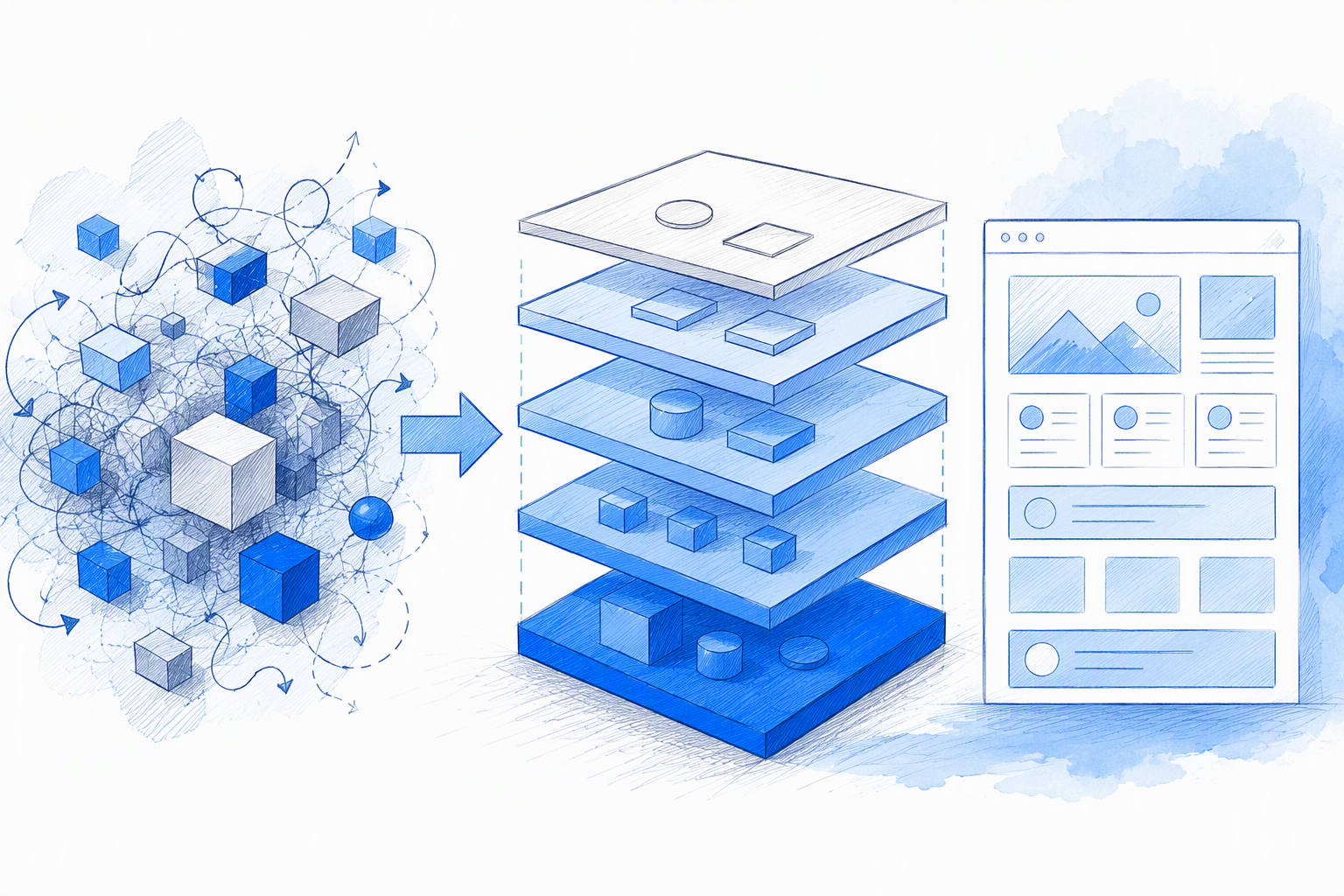
Feature-Sliced Design, or FSD, is a frontend architecture methodology that organizes code by product meaning and controls dependency direction. Instead of asking whether code is a component, hook, service, or utility, we first ask which part of the product owns it.
That distinction helps when one cart update affects components, hooks, services, state, and utilities. Grouping related UI, behavior, and requests around a product capability makes ownership easier to see.
FSD is not a design system or a cure for unclear product boundaries. If a team cannot define “cart,” “checkout,” or “authentication,” more folders will not resolve the confusion.
File-type folders versus product capabilities
A conventional add-to-cart flow might be spread across:
components/AddToCartButton.tsxhooks/useCart.tsservices/cartApi.tsstore/cartSlice.ts
With FSD, action-specific code can live in features/add-to-cart, while stable cart data belongs in entities/cart. The structure reflects product language rather than file types.
The principles behind an effective frontend architecture
We look for clear ownership, high cohesion, low coupling, explicit dependencies, discoverability, and testable boundaries. FSD supports those goals; it is not the goal itself.
Clear ownership also protects validation, accessibility, interaction states, and visual behavior. That relationship between implementation and product quality shapes our end-to-end UI UX design service workflow.
Layers, slices, and segments explained with one React product
Consider a commerce product with authentication, product discovery, favourites, cart actions, and checkout:
- Layers define broad responsibilities and dependency direction.
- Slices represent product capabilities or domain concepts.
- Segments group technical concerns within a slice.
A slice should describe durable product meaning, not a temporary ticket or modal.
Layers define responsibility and dependency direction
The common layers are app, pages, widgets, features, entities, and shared. Higher layers can import lower ones. Lower layers should not depend on higher ones.
A checkout page may import a cart widget, coupon feature, order entity, and shared button. The shared button must know nothing about checkout.
Slices define product meaning
Entity slices might include product, user, and cart. Feature slices might include add-to-cart and sign-in.
We recommend agreeing on product language before drawing the folder tree. Conflicting definitions produce conflicting boundaries.
Segments organize code inside a slice
Common segments include:
uifor rendering and interactionmodelfor state and business rulesapifor owned requestslibfor slice-specific helpers
These are optional conventions. Empty directories add ceremony without clarity.
What belongs in app, pages, widgets, features, entities, and shared?

Each layer answers a different ownership question. A project does not need every layer.
App, pages, and widgets compose the experience
App contains providers, global styles, initialization, and app-wide configuration. Pages compose route-level experiences. Widgets are substantial page sections that coordinate lower-level modules, such as a product grid or cart summary.
Features and entities hold product behavior
Features represent user goals: sign in, add to cart, or apply a coupon. Entities represent stable concepts such as a user, product, order, or cart.
For example, ProductCard may belong to entities/product/ui, while AddToCartButton belongs to features/add-to-cart/ui because it starts a workflow.
Shared should be generic by evidence, not prediction
Shared contains domain-neutral foundations such as button primitives, API clients, formatting infrastructure, and configuration.
Business vocabulary, one-off helpers, and components that change with a specific workflow do not belong there. Reuse should be demonstrated rather than predicted.
A practical Feature-Sliced Design folder structure
A useful file system reflects ownership and legal dependencies. A tidy tree alone proves little.
Example React folder tree
src/
├── app/
│   ├── providers/
│   └── styles/
├── pages/
│   ├── catalog/ui/CatalogPage.tsx
│   └── checkout/ui/CheckoutPage.tsx
├── widgets/
│   ├── product-grid/ui/ProductGrid.tsx
│   └── cart-summary/ui/CartSummary.tsx
├── features/
│   ├── add-to-cart/
│   │   ├── ui/AddToCartButton.tsx
│   │   ├── model/useAddToCart.ts
│   │   ├── api/addItem.ts
│   │   └── index.ts
│   └── sign-in/
├── entities/
│   ├── product/
│   └── cart/
└── shared/
    ├── ui/Button/
    ├── api/client.ts
    └── lib/formatCurrency.ts
Where UI, state, business logic, and API requests live
Local display state stays with its component. Workflow state belongs to the responsible feature, stable domain state to its entity, and initialization to app.
We apply the same ownership rule to requests rather than collecting every request in a global services folder.
A placement test for ambiguous code
Before placing a module, we ask:
- Who owns it?
- Which product language does it use?
- Who should be allowed to import it?
- Is its reuse proven?
- Can it remain local?
Choose the lowest sensible layer without removing useful product meaning.
Public APIs and import rules that developers will actually follow
A slice’s index.ts defines its public contract. It should expose only what consumers need.
// Import through the public contract
import { AddToCartButton } from "@/features/add-to-cart";

// Avoid importing internal modules
import { useAddToCart } from "@/features/add-to-cart/model/useAddToCart";
Dependency direction and cross-slice imports
Pages may import widgets, features, entities, and shared modules. Shared modules remain independent of product layers. Slices at the same layer should generally stay isolated.
Preventing deep-import shortcuts
Path aliases, linting, dependency analysis, and code review can reveal violations. The FSD ecosystem includes ESLint configurations and dependency-analysis utilities.
Repeated shortcuts are also design feedback. The approved public API may be incomplete or inconvenient.
Avoiding barrel-file and circular-dependency problems
Export stable types, components, and operations rather than using broad wildcard exports. Circular imports usually indicate unclear ownership or overly connected slices. We fix the boundary instead of hiding the cycle.
How to migrate an existing React codebase without a rewrite
Start with one painful workflow, not a complete empty hierarchy.
Step 1—map dependencies and product language
Identify frequently co-edited files, circular imports, unstable shared modules, and workflows spread across technical folders. Then agree on durable entities and capabilities.
This resembles the alignment required in freelance product design workflows: define the product problem and ownership before refining the output.
Step 2—extract one vertical capability
Move one bounded flow, such as add to cart, with its UI, model, and API behavior. Preserve existing behavior and expose a narrow public API. Avoid unrelated refactoring.
Step 3—enforce boundaries gradually
Apply new rules to new code first. Warn on legacy violations and tighten enforcement slice by slice. Remove old components, services, and utils folders only when their contents have clear owners.
Step 4—measure whether the migration is working
Review change scope, deep imports, circular dependencies, regressions, and recurring placement debates. If extra layers create friction without clarifying ownership, stop adding them.
Using Feature-Sliced Design with Next.js App Router and server components
Next.js controls routing and rendering conventions. FSD controls product-module boundaries. We keep those responsibilities separate.
Keep route entry points thin
Let route files handle layouts, metadata, loading behavior, and framework-specific composition. Move substantial product UI into bounded modules when that improves ownership.
Respect server and client boundaries
Keep server-only data access outside client bundles. Place 'use client' at the smallest practical interactive boundary and pass serializable data between server and client components.
Do not force every Next.js concept into an FSD layer
Route groups, loading.tsx, error.tsx, and server actions should follow their framework and runtime responsibilities. Document exceptions instead of forcing a symmetrical tree.
FSD versus Atomic Design, Clean Architecture, and domain-driven design
These approaches address different concerns and can coexist when their roles are clear.
FSD versus Atomic Design
Atomic Design classifies UI composition using categories such as atoms, molecules, and organisms. FSD organizes code around capabilities and dependency direction. Atomic categories do not define ownership for authentication rules or checkout workflows.
FSD versus Clean Architecture
Clean Architecture separates policy from implementation through broad dependency principles. FSD provides a frontend-focused hierarchy. Combining both mechanically can add layers without improving the product.
FSD and domain-driven design
Domain-driven design contributes shared language and bounded concepts. We borrow that boundary thinking without importing modeling ceremony that the frontend does not need.
When Feature-Sliced Design helps—and when it is too much
FSD is useful when product complexity and dependency pressure justify its constraints.
Signals that FSD may help
Consider it when:
- Several contributors modify the same frontend
- One capability spans many technical folders
- Ownership is unclear
- Changes affect unrelated workflows
- Durable domains need independent boundaries
Our buyer’s guide to UI/UX design service deliverables explains why production readiness must extend beyond polished screens.
Signals that full FSD may be premature
A short-lived prototype with few workflows may need only a feature-first structure. Start there, then add entities, widgets, and stricter contracts when coupling appears.
Architecture cannot fix weak product boundaries
Folders formalize existing definitions. We use user goals, product flows, and stable domain language rather than screen names or ticket labels.
That judgment also matters when teams find a product designer who can actually ship, rather than separating interface decisions from implementation consequences.
A product-quality checklist for adopting FSD
Strong boundaries should support maintainability, consistent interaction states, accessible behavior, and safer iteration.
Before creating a new slice
Confirm that it:
- Represents durable product meaning
- Has a clear owner
- Cannot remain local
- Has identifiable consumers
- Can expose a narrow contract
Before moving code into shared
Require proven reuse across contexts. Remove product-specific assumptions and confirm that unrelated business changes will not repeatedly alter the module. Small duplication is often safer than premature abstraction.
Questions to settle before adoption
Agree on product terminology, ownership, import rules, exceptions, and enforcement. If those decisions remain vague, a new directory structure will not make them clearer.
FAQ
What does FSD stand for in architecture?
FSD stands for Feature-Sliced Design. It divides a frontend into responsibility layers, product-focused slices, and technical segments.
What is feature-based architecture in React?
It groups components, state, rules, and requests by the capability they support. FSD adds defined layers and dependency constraints to that approach.
How should we design a frontend file system?
Start with product language and ownership. Keep code near its owner, expose narrow public APIs, and add layers only when they clarify dependencies.
What are the main principles of frontend architecture?
We prioritize clear ownership, high cohesion, low coupling, explicit dependencies, discoverability, and testable boundaries.
Does every React or Next.js project need all FSD layers?
No. Small products may need only feature boundaries, shared foundations, and route composition. Add more structure when the codebase shows a clear need.
Build a frontend that can keep evolving
Explore how hybrid UI UX designing services compare with agencies and in-house teams, then contact amajaying.com to build a product that is polished on screen and maintainable underneath.