UI UX web design services: 7 essential stages from discovery to launch
Learn the seven stages that turn user insights into intuitive, launch-ready websites, plus key deliverables and warning signs to help you choose wisely.
By Ajay Khatri ·
TL;DR
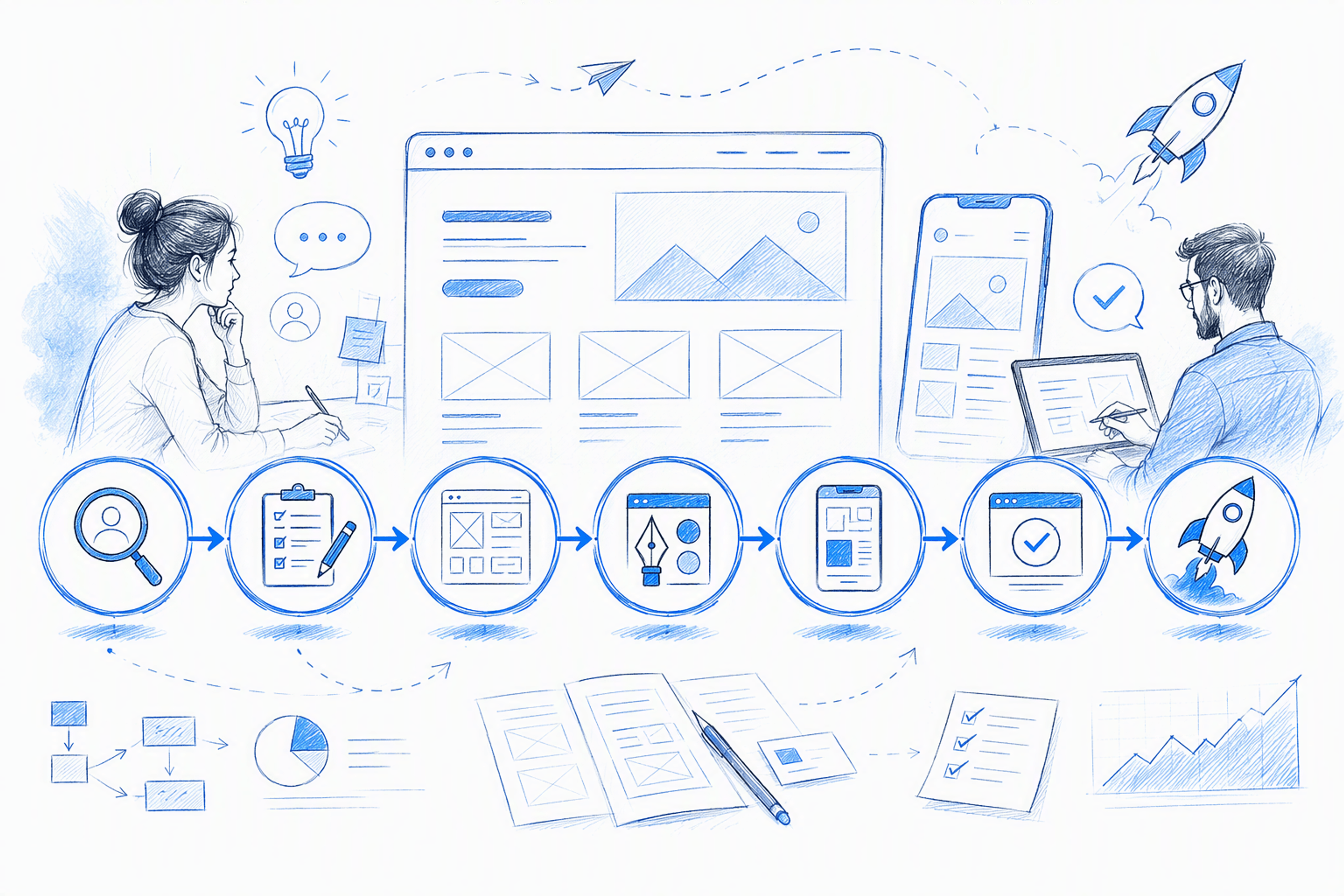
The best UI UX web design services do not begin with polished screens. They begin by identifying the decisions, dead ends, and friction affecting users, then connect discovery, UX, UI, implementation, launch, and measurement in one coherent workflow. This guide explains seven essential service stages, what each should deliver, why each matters, and the warning signs of weak execution.
Table of Contents
- TL;DR
- What UI UX web design services should include
- 1. Product and user discovery that defines the right problem
- 2. A UX audit that turns friction into priorities
- 3. Information architecture and user flows that reduce decision friction
- 4. Wireframes, prototypes, and usability testing before visual polish
- 5. Distinctive responsive UI and a design system grounded in real needs
- 6. Frontend-aware specifications—or direct execution—so the design survives the build
- 7. Launch measurement and iteration that connect design to impact
- How to evaluate UI UX design services by their deliverables
- UI/UX web design questions for 2026—and the next step
- FAQ
- Turn an unclear product problem into a build-ready experience
What UI UX web design services should include
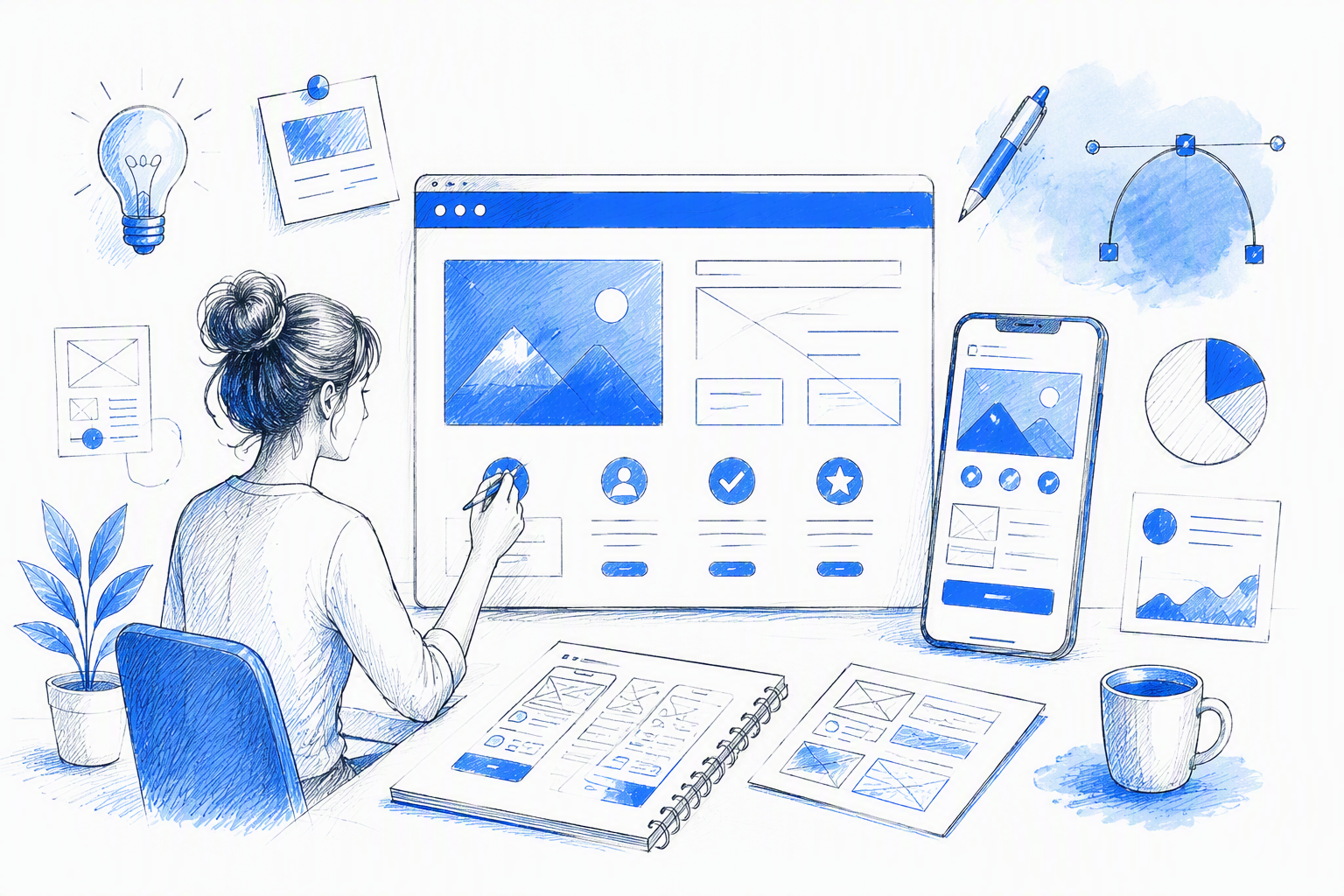
A company hires a UX specialist, a UI designer, and a frontend developer. Then it needs a fourth person to fix the gaps between their work.
Strong UI UX web design services should prevent that fragmentation. Instead of offering another agency ranking or provider comparison, this guide sets out a seven-stage, deliverables-led scope for moving from an uncertain product problem to a coherent, buildable, and measurable digital experience.
UX defines the structure and behavior that help people complete tasks. It covers what users need, how journeys work, which information appears when, and how the experience handles choices, mistakes, waiting, and recovery.
UI turns that structure into visible hierarchy, interaction cues, accessible controls, and distinctive brand expression. It answers practical questions: What looks interactive? What deserves attention? What state is the product in? What should happen next?
Frontend awareness bridges those decisions and the browser. It helps preserve responsiveness, component logic, content variation, interactions, and accessibility when a polished design file enters development.
We believe the strongest UI/UX design services connect:
- Product and user discovery
- UX auditing and prioritization
- Information architecture and task flows
- Wireframes, prototypes, and validation
- Responsive UI and reusable systems
- Implementation-ready specifications or direct execution
- Launch measurement and iteration
Isolated screens may look impressive, but screens alone do not resolve product uncertainty. They also fail to define what happens when data is missing, content runs long, a request fails, someone returns midway through a task, or the viewport changes.
Here is the complete scope at a glance:
| Stage | Client deliverable | Business value | Weak-delivery warning sign |
|---|---|---|---|
| Product and user discovery | Focused problem statement, evidence, risks, goals, and prioritized scope | Helps prevent investment in the wrong audience, task, or solution | Generic personas and workshop notes that never affect scope |
| UX audit | Evidence-backed friction map with severity and priorities | Connects interface problems to activation, completion, conversion, and retention | A screenshot deck containing unranked opinions |
| Information architecture and flows | Content hierarchy, task flows, decisions, states, and recovery paths | Reduces confusion, abandonment, support demand, and development debate | Happy paths only, unclear labels, and missing errors |
| Wireframes and testing | Testable flows, observations, assumptions, and revisions | Tests risky decisions before expensive visual execution | A polished prototype with no stated hypothesis |
| Responsive UI and system | Visual direction, responsive screens, components, tokens, and states | Creates a distinctive, usable interface that can scale consistently | Desktop-only mockups or a generic component library |
| Frontend readiness or execution | Behavioral specifications, assets, acceptance criteria, or an implemented interface | Reduces translation gaps, visual regressions, and avoidable rework | Developers must infer behavior from static frames |
| Measurement and iteration | Baseline, event plan, feedback loop, and experiment backlog | Connects design decisions to observed product performance | Launch happens without instrumentation or follow-up ownership |
This article focuses on what the work should include, not whether it should come from a freelancer, agency, or internal team. For that decision, our guide to choosing a hybrid designer vs agency vs in-house team covers the trade-offs in depth.
Is a UX/UI designer a web designer?
The roles can overlap, but they are not automatically equivalent. Conventional web design often concentrates on page layouts, visual presentation, branding, and responsive composition for marketing or content-led websites.
Product-oriented UX/UI work extends into task flows, information architecture, research, validation, interface states, business rules, component behavior, and measurable product outcomes. It asks not only whether a page looks good, but whether the full journey makes sense and holds up in real use.
A frontend-capable product designer adds implementation awareness. We can reason about HTML structure, CSS behavior, responsive constraints, browser interactions, component reuse, and technical feasibility—or directly execute suitable interfaces—without claiming to replace every software engineering discipline.
That distinction matters when hiring. A compelling homepage may mainly require strong web design. A SaaS onboarding flow, dashboard, marketplace, or AI product usually needs deeper product-oriented UX/UI capability.
What clients should receive at every stage
We expect every stage to pass four tests:
- A clear decision: What uncertainty was resolved, reduced, or deliberately deferred?
- A usable artifact: What can the team inspect, test, build, or measure?
- Implementation context: How should the decision work across devices, states, data, and constraints?
- A performance rationale: Why should it improve the user experience or support a business goal?
A deliverable without a decision is documentation. A decision without an artifact is hard to operationalize. An artifact without implementation context creates rework. Work without a performance rationale becomes subjective decoration.
Our broader buyer’s guide to build-ready product design explains how to examine this chain across an engagement.
1. Product and user discovery that defines the right problem
Product discovery establishes what deserves to be designed before anyone starts styling screens. It turns stakeholder assumptions, user evidence, commercial goals, and technical realities into a focused problem definition.
A useful discovery process may examine:
- Stakeholder interviews and existing product knowledge
- Analytics, support conversations, sales feedback, and search behavior
- User interviews or observed behavior where uncertainty is high
- Competitor and category patterns
- Current product or website journeys
- Technical architecture and implementation constraints
- Commercial priorities, launch conditions, and available resources
The objective is not to create the largest research repository possible. We want to understand enough of the problem to make the next decision with justified confidence.
Useful discovery outputs include:
- Decision-oriented research notes
- Audience and job-to-be-done hypotheses
- A focused problem statement
- Known evidence and unresolved assumptions
- Technical, operational, and commercial constraints
- Candidate success metrics
- A prioritized scope
- Questions requiring validation in the next stage
This work has commercial value. Without it, a team can spend weeks polishing an interface for the wrong audience, optimizing a secondary task, or treating a symptom while leaving the underlying friction untouched.
Suppose a company requests a visual redesign because activation appears weak. Discovery may show that the interface is not the main issue. Users could arrive with the wrong expectation, struggle to see the product’s value before account creation, or need unavailable data to complete setup.
That finding changes the scope. Instead of decorating the existing onboarding screens, the team can clarify acquisition messaging, reorder setup, introduce a sample state, or redesign the first-value moment.
More research is not automatically better. For a lean team, months of documentation can become a way to delay a difficult decision rather than improve it.
Research should be proportional. The right amount is enough to reduce material uncertainty, expose dangerous assumptions, and define what needs testing next.
Weak discovery usually looks like:
- Generic personas based on demographics rather than behavior
- Large workshop documents with no prioritization
- Competitor screenshots with no strategic interpretation
- Interview summaries disconnected from scope
- Feature lists with no user or business rationale
- Findings that do not change a decision
If discovery has no effect on what gets designed, removed, prioritized, or tested, it is probably theatre.
Lean discovery for founders and product teams
Discovery depth should reflect uncertainty, risk, available evidence, and the cost of being wrong.
A founder testing an early concept may need focused interviews, category analysis, and a prototype test. A mature product changing a heavily used checkout journey may require deeper behavioral data, accessibility review, stakeholder input, and controlled experimentation.
We recommend asking:
- How much credible evidence already exists?
- Which assumption could invalidate the proposed solution?
- What happens commercially or operationally if the decision is wrong?
- Can the uncertainty be tested with a prototype?
- Is live-product data more useful than more interviews?
- Which decision must be made now, and which can wait?
Lean does not mean careless. It means directing research toward the uncertainty with the greatest consequence.
For Bangalore-based and global product teams, direct collaboration can make this process faster. Time-zone overlap, focused working sessions, and access to the person making design decisions can reduce the delay between a stakeholder insight, a clarified constraint, and a revised direction.
The goal is not a calendar full of workshops. It is a short feedback loop among the people who understand the market, users, product, and technology.
Discovery deliverables to request
A practical discovery package should answer:
- Assumptions: What are we currently treating as true?
- Evidence: What user, product, market, or business signals support those assumptions?
- Risks: Which unknowns could materially affect adoption, implementation, or viability?
- Priorities: Which users, journeys, and outcomes matter first?
- Goals: How will the team recognize meaningful improvement?
- Constraints: What technical, operational, content, regulatory, or timing limits apply?
- Validation decisions: What must be learned before visual execution or development?
- Scope decisions: What is included now, excluded, or deferred?
We advise clients to ask for concise reasoning, not documentation by weight. A short decision brief that changes the roadmap is more valuable than a long research report nobody uses.
2. A UX audit that turns friction into priorities
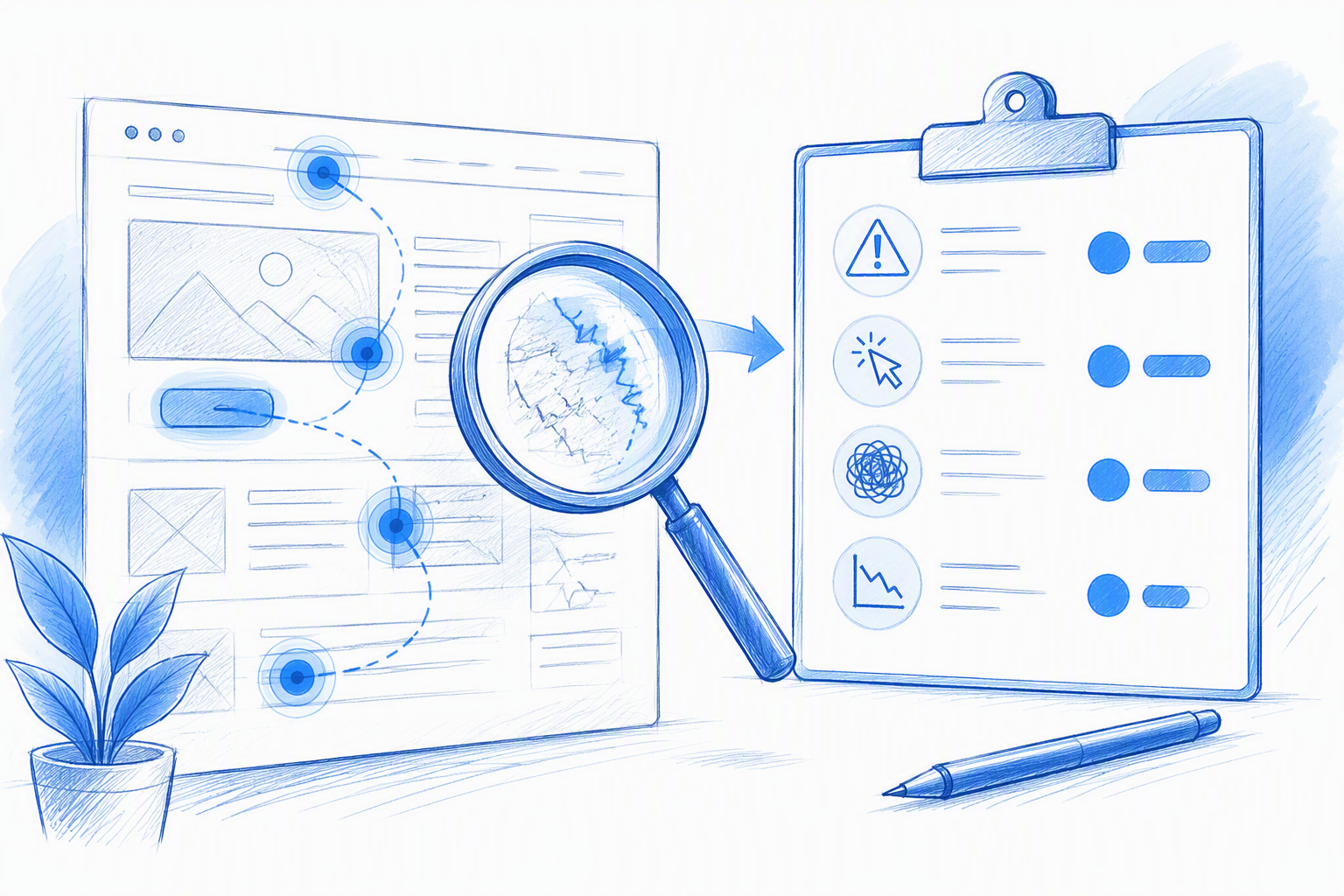
A UX audit is a structured review of an existing website or product experience. It evaluates real journeys using available analytics, usability principles, content clarity, accessibility considerations, interface consistency, and known user evidence.
The emphasis should be on behavior and consequences. A useful audit does not merely say that a button is too small or a section feels cluttered. It explains which user intention is affected, where the friction occurs, what evidence supports the finding, and which action deserves priority.
Clients should receive findings that include:
- The affected journey and user intent
- An annotated example
- Supporting evidence or rationale
- Severity and confidence
- The likely user consequence
- The potential business consequence
- A recommended action
- Impact-versus-effort priority
- Dependencies or questions requiring validation
This approach connects interface quality to outcomes such as activation, task completion, conversion, support demand, error rate, and retention. Not every finding will have a measurable financial effect, but each priority should have a plausible connection to a relevant outcome.
Consider a visually polished signup experience. The typography is crisp, the motion is refined, and the form looks minimal—but people still leave.
An audit might reveal that the page fails to communicate what users receive after signup, required effort appears unexpectedly midway through the process, or the primary action changes meaning between steps. The visual finish is not the main problem. Expectation and decision clarity are.
A screenshot deck containing dozens of observations is therefore incomplete. If critical journey blockers, accessibility failures, minor inconsistencies, and personal style preferences all receive equal weight, stakeholders still do not know what to fix first.
From interface critique to friction map
Pages are implementation containers. Users experience journeys.
We organize audit findings around intent and journey stage rather than reviewing every page in isolation. A SaaS audit, for example, might examine:
- Arrival and expectation setting
- Evaluation and trust
- Account creation
- Setup and data entry
- First successful outcome
- Repeated core use
- Error recovery
- Upgrade or conversion
- Re-entry and retention
This structure reveals friction that crosses page boundaries. A promise made on the landing page may not match onboarding. A term introduced during signup may change inside the product. Someone may complete setup successfully, then encounter an empty dashboard with no clear next step.
Findings should also distinguish three levels of certainty:
- Evidence: Analytics, recordings, support data, observed usability problems, or confirmed accessibility failures
- Informed hypothesis: A plausible explanation grounded in product and UX reasoning that still requires validation
- Stylistic opinion: A visual preference with no demonstrated usability or business consequence
Separating these categories makes the audit more credible. It also stops teams from presenting every design preference as a research finding.
How to prioritize UX findings
We recommend evaluating findings across:
- User impact: How severely does the issue affect understanding or task completion?
- Business impact: Which activation, conversion, retention, or operational goal could it influence?
- Confidence: How strong is the evidence?
- Effort: What design, content, engineering, or organizational work is required?
- Dependency: Must another decision or system change happen first?
A high-impact, high-confidence issue that can be resolved with moderate effort should usually move ahead of a speculative visual improvement. Critical accessibility or task-blocking failures may require immediate action even when the effort is substantial.
Prioritization is not a mechanical score that replaces judgment. We use it as a shared framework for making trade-offs visible and preventing the loudest stakeholder preference from becoming the roadmap.
3. Information architecture and user flows that reduce decision friction
Information architecture organizes content and capabilities so people can find, understand, and act on what matters. User flows define the steps, choices, conditions, states, and recovery paths involved in completing a task.
They solve related but different problems. Architecture asks, “Where does this belong, and how should it be understood?” Flow design asks, “What happens next under each realistic condition?”
Depending on the product, useful outputs include:
- A sitemap or navigation model
- Content grouping and hierarchy
- Primary and secondary task flows
- Entry and exit points
- Decision points and business rules
- Empty, loading, error, and success states
- Permission and role differences
- Recovery and re-entry paths
- Edge cases and unresolved questions
- Annotations for content and technical behavior
Clear architecture can reduce navigation friction and repeated support questions. Clear flows can limit abandoned tasks, prevent contradictory requirements, and give designers and developers a shared model before detailed interface work begins.
This stage should also challenge weak stakeholder-provided flows. A wireframe is not automatically correct because it came from an internal team or appeared in the original brief.
Product-oriented UI and UX design services should ask whether steps can be removed, whether the sequence reflects the user’s mental model, whether required information is available at that moment, and what happens when the ideal path breaks.
Warning signs include:
- Diagrams showing only the happy path
- Labels based on internal company terminology
- Navigation mirroring departments rather than user needs
- Missing cancellation, error, and recovery routes
- Undefined permissions or role differences
- Multiple actions competing without clear priority
- Arrows connecting boxes without explaining conditions
A flow that cannot explain an exception is not ready for implementation.
A practical flow annotation example
Consider a SaaS onboarding journey. A useful flow begins before the signup form and continues beyond account creation:
- Entry source: Search, recommendation, paid campaign, invitation, or in-product upgrade
- Expectation: What does the user believe the product will do?
- Account creation: Which information is genuinely required now?
- Verification: What happens if an email is delayed, expired, or already registered?
- Setup: Which choices affect the product experience?
- First value: What meaningful result demonstrates the product’s usefulness?
- Empty state: What appears when no data or integrations exist?
- Validation errors: Can people understand and fix the problem?
- Interruption: Is progress saved if someone leaves?
- Re-entry: Where do returning users resume?
- Success: What should happen after the initial task is complete?
Before visual styling, this flow needs decisions across several disciplines.
UX must resolve sequence and cognitive load. Content must clarify value, effort, terminology, and recovery. The business must define qualification rules, permissions, and conversion conditions. Engineering must confirm data availability, integration timing, authentication behavior, and saved progress.
Resolving these questions early makes the eventual UI more purposeful. It also prevents developers from having to make product decisions during implementation.
When a sitemap is useful—and when it is not
Sitemaps are useful for content-heavy websites with substantial navigation, nested information, search relationships, or several audience routes. They help teams define taxonomy, hierarchy, findability, and page relationships.
They are less useful as the main model for interactive products. A dashboard may have only a few visible destinations but many states, permissions, dependencies, and task paths.
For those products, we prioritize state models and user flows over page counts. A single interface may change significantly depending on role, plan, data availability, task status, or previous action.
Choose the artifact that exposes the actual complexity. We do not recommend producing a sitemap simply because it appears on a standard process checklist.
4. Wireframes, prototypes, and usability testing before visual polish
Wireframes are decision tools, not mandatory grayscale ceremony. They help teams resolve hierarchy, content, behavior, and flow before visual detail makes those choices slower or more emotionally expensive to change.
The right fidelity depends on the question.
We use quick sketches when comparing broad structural approaches, realistic wireframes when content length, hierarchy, or data density affects comprehension, and interactive prototypes when sequence, interaction, feedback, or task completion must be observed.
A useful prototyping package can include:
- Testable versions of core flows
- The interactions and assumptions being evaluated
- Representative content and data
- Defined prototype boundaries
- Realistic success, error, and empty states
- Usability observations
- Evidence separated from interpretation
- Prioritized revisions
- A recorded decision after testing
Targeted testing helps prevent teams from investing in polished visual execution for a flow people cannot understand. It is generally easier to restructure a focused prototype than to revise a complete visual system and developed interface.
Testing does not need to become a large research operation. Its purpose is to reduce a meaningful risk before committing more time and budget.
Weak prototypes often look impressive in a presentation but avoid the real uncertainty. Common warning signs include:
- Placeholder copy that removes comprehension challenges
- Perfect data that makes every layout fit
- No loading, error, permission, or empty states
- Interactions designed for spectacle rather than feedback
- A clickable path with no defined user task
- No stated hypothesis or decision criteria
- Testing that produces observations but no revision
A prototype is useful because of what it helps the team learn, not because it resembles a finished product.
Test the risky assumption, not every screen
Each test should focus on a decision. For example:
- Do people understand the offer before creating an account?
- Can they identify the appropriate plan?
- Can they complete the primary task without assistance?
- Do they recognize the next step after an empty state?
- Can they recover from a validation error?
- Do they understand the effect of an irreversible action?
- Does the navigation match how they categorize the work?
Testing every screen equally can dilute attention. A low-risk settings page may not deserve the same validation effort as a novel onboarding model or high-value conversion journey.
Lightweight methods include moderated usability sessions, task-based prototype tests, stakeholder walkthroughs grounded in user scenarios, and observation of behavior in the live product. Existing analytics and support data can also indicate where testing should concentrate.
The method should follow the uncertainty. We do not need an elaborate study when a few focused conversations or a behavioral review can expose the central issue. Nor should we rely on internal opinions when the cost of being wrong is high.
What a useful prototype should prove
Before prototyping begins, we ask for five things:
- A stated hypothesis: What does the team believe will happen?
- Representative content: Does the prototype reflect realistic language, data, and complexity?
- A success signal: What behavior or response would support the hypothesis?
- Realistic interaction: Does the prototype represent the task closely enough to produce useful evidence?
- A documented decision: What changed, stayed, or requires further validation?
The outcome may be confirmation, rejection, or a more precise question. All can be useful if they reduce uncertainty.
A prototype that produces no decision is often just a presentation asset.
5. Distinctive responsive UI and a design system grounded in real needs
UI design turns validated structure into an interface people can perceive, understand, and operate. It combines hierarchy, typography, spacing, color, imagery, interaction cues, accessibility, and brand expression.
Distinctive does not mean visually loud. A memorable interface can come from disciplined typography, an unusual but coherent layout rhythm, purposeful motion, precise content, or a recognizable visual system.
The standard is not whether the screens look fashionable. It is whether the visual direction helps people act while giving the product an identity that does not feel copied from the same template library as every competitor.
Responsive design is equally important. It is not a desktop composition compressed until it fits a phone. It is a system of priorities, transformations, content rules, layout behavior, and input contexts.
Clients should expect outputs such as:
- A clear visual direction
- Responsive key screens
- Layout and spacing rules
- Typography and color tokens
- Component anatomy and variants
- Hover, focus, disabled, selected, loading, error, and success states
- Content limits and behavior
- Interaction and motion guidance
- Accessibility considerations
- Reusable patterns derived from validated flows
Design systems should emerge from actual product needs. Building a massive component library before validating the core experience is expensive theatre.
A useful system begins with recurring decisions from real flows. It grows when reuse, consistency, implementation efficiency, or governance justifies expansion.
Warning signs include:
- Generic template aesthetics unrelated to product positioning
- Desktop-only screens
- Inconsistent components for the same action
- Missing focus, loading, empty, and error states
- Visual novelty that obscures the primary action
- A large library containing components the product does not use
- Components copied from another system without adaptation
Strong UI design balances differentiation with recognition. People should not have to relearn basic interaction patterns merely to experience a distinctive brand.
Responsive behavior beyond breakpoints
Breakpoints describe where a layout changes. They do not fully explain how an experience adapts.
Responsive UI should consider:
- How hierarchy changes on narrow screens
- Whether navigation collapses, transforms, or becomes contextual
- Touch target size and spacing
- Content density and progressive disclosure
- Table behavior on constrained widths
- Long labels, translated content, and user-generated text
- Empty and partial-data states
- Sticky actions and viewport height
- Hover-dependent interactions on touch devices
- Keyboard navigation and visible focus
- Modal behavior on small screens
- Order changes without breaking reading or tab sequence
A desktop data table, for example, may not simply shrink. Lower-priority columns could become expandable details, actions may move into a menu, and critical values may become stacked summaries.
We recommend asking for representative narrow, medium, and wide states. More importantly, ask for rules explaining what happens between the supplied frames.
Developers should know whether containers are fixed or fluid, when content wraps, what can truncate, which elements can reorder, and which dimensions depend on content. Otherwise, implementation becomes guesswork.
The minimum viable design system
A minimum viable design system should contain what validated flows need now:
- Foundational color, typography, spacing, radius, and elevation tokens
- Core controls such as buttons, fields, selectors, and links
- Components repeatedly used in key journeys
- Variants and states required by real behavior
- Layout patterns used across multiple screens
- Content and accessibility guidance where relevant
- Naming that maps clearly to implementation
It should not try to predict every future product requirement. Premature generalization can produce complicated components that are difficult to use, maintain, and implement.
Expansion should follow evidence. When the same pattern appears repeatedly, inconsistency creates friction, or several teams need shared rules, systemization becomes valuable.
This disciplined approach can support faster iteration, fewer design-to-development mismatches, and easier scaling without turning the component library into a separate product nobody requested.
6. Frontend-aware specifications—or direct execution—so the design survives the build
Static design screens are incomplete when behavior, content conditions, responsiveness, accessibility, and component logic remain undefined. A developer can inspect spacing and color but cannot reliably infer every product decision from pixels.
Developer-ready design should specify:
- Component anatomy and hierarchy
- Variants, states, and triggers
- Responsive layout rules
- Interaction and transition behavior
- Design tokens and reusable patterns
- Image, icon, and font assets
- Content limits and overflow handling
- Loading, empty, error, and partial-data conditions
- Keyboard and focus expectations
- Edge cases and dependencies
- Acceptance criteria
- Open questions requiring product or engineering input
Without this context, the workflow becomes fragmented: design handoff, developer interpretation, visual regression, clarification, revision, and rework.
An integrated workflow considers feasibility from the first flow. Technical constraints inform interaction decisions, reusable components support visual consistency, and implementation feedback returns before the whole experience is approved.
That does not mean engineering should dictate the experience. It means product, UX, UI, and frontend decisions should not be treated as isolated phases.
Direct frontend execution can accelerate suitable projects. Marketing websites, interactive prototypes, lean MVPs, and focused SaaS workflows may benefit when the same person carries intent from concept into the browser.
AI-assisted coding can also shorten experimentation and implementation cycles. Its value still depends on direction, review, accessibility awareness, architectural judgment, and quality control. Generated code is not automatically ready for production.
Complex platforms, regulated systems, deep integrations, high-scale infrastructure, or mature applications still require dedicated engineering expertise. The advantage of hybrid capability is continuity between design intent and execution—not the claim that one person replaces every specialist.
For a closer look at this continuity, our article on freelance product design workflows that lead to shipped experiences follows the path from product problem to implementation.
What belongs in a developer-ready handoff
Before implementation, we check whether the handoff covers:
- Behavior: Are triggers, transitions, dependencies, and outcomes defined?
- Responsiveness: Are layout transformations and intermediate-width rules clear?
- State coverage: Are default, hover, focus, active, disabled, loading, empty, error, and success states included where relevant?
- Accessibility: Are keyboard use, focus visibility, semantics, contrast, and nonvisual feedback considered?
- Components: Can recurring patterns be implemented and reused consistently?
- Content: Are length limits, overflow rules, fallback values, and realistic examples available?
- Assets: Are icons, imagery, fonts, and export requirements organized?
- Acceptance criteria: Can the team determine whether implementation matches the intended behavior?
- Open questions: Are unresolved decisions visible rather than silently delegated to development?
Handoff should not be a one-time file transfer. We recommend an implementation review after development begins, when browser behavior, real data, and technical constraints can be inspected.
This review catches issues that static design tools cannot fully represent. It also enables deliberate trade-offs instead of silent visual degradation.
When frontend-capable product design is more efficient
Frontend-capable product design is especially useful for:
- Interactive prototypes requiring realistic behavior
- Marketing sites where visual craft and browser execution are closely linked
- Lean MVPs built for rapid learning
- Focused SaaS workflows with manageable technical scope
- Experiments in which design and implementation must change together
- Early products using AI-assisted development under careful review
Fewer translation layers can shorten feedback cycles. A responsive problem discovered during implementation can inform the component immediately rather than moving through a long clarification chain.
Continuity also preserves subtle decisions. Content hierarchy, interaction timing, empty states, and edge-case behavior are less likely to be treated as optional polish.
The limits still matter. Backend architecture, security, data engineering, native platform development, complex infrastructure, and specialized performance work may need experienced engineering partners.
A strong hybrid workflow knows when direct execution is efficient and when close collaboration with a dedicated engineering team is the responsible choice.
7. Launch measurement and iteration that connect design to impact
Launch is the beginning of evidence collection, not the end of design.
Before release, the team has hypotheses. After release, it can observe whether people understand the experience, complete intended tasks, recover from problems, and return.
Metrics should map to the product goal. Depending on the journey, relevant measures may include:
- Activation
- Task completion
- Conversion
- Retention
- Support volume
- Error rate
- Drop-off by step
- Time to first value
- Feature adoption
- Iteration speed
A launch-ready engagement should define what will be observed and who owns the next decision. Useful outputs include:
- An event-measurement plan
- A pre-launch baseline where available
- A feedback and support review loop
- A prioritized experiment backlog
- A scheduled post-launch design review
- Known limitations in the available data
- Criteria for maintaining, revising, or reversing a change
Measurement also requires restraint. If conversion improves after a redesign, design may have contributed, but acquisition quality, pricing, seasonality, product changes, marketing, and operational factors may also have influenced the result.
Correlation is not proof of causation. Outcome claims should describe the context, acknowledge simultaneous factors, and avoid presenting interface work as the sole cause of business growth.
Red flags include:
- A redesign with no baseline
- No event instrumentation
- No behavioral or qualitative feedback
- Success defined only as stakeholder approval
- No owner for post-launch review
- Outcome claims without a timeframe or context
- A backlog disconnected from observed friction
Post-launch optimization is where UI UX design services become a product capability rather than a one-off visual project.
UXMagic.ai as evidence of the integrated loop
Our work on UXMagic.ai illustrates the practical value of keeping concept, design, implementation, launch, automation, and growth close together.
Ama Jay held direct ownership across product concept, UX, UI, AI-assisted implementation, launch, operational automation, and iterative development. That continuity supported a faster route from observed behavior to a product decision and then to implementation.
We do not treat product growth as proof that design alone caused the outcome. Marketing, positioning, product utility, implementation, timing, and operating decisions can all contribute.
The transferable lesson is the shorter distance between evidence and action. User behavior can expose friction, that friction can become a product decision, the decision can move into implementation, and the result can be observed without losing context across several handoffs.
That loop matters more than claiming ownership over every outcome. It allows a team to learn and respond coherently.
A simple post-launch measurement loop
We use a practical optimization cycle:
- Establish the baseline: Record current performance and known limitations.
- Instrument the journey: Track the events needed to understand progression and failure.
- Observe behavior: Combine quantitative signals with support feedback and direct observation.
- Prioritize friction: Evaluate impact, confidence, effort, and dependencies.
- Ship a focused change: Change one coherent part of the journey rather than redesigning everything.
- Compare results: Review performance against the baseline and consider other influencing factors.
- Record the decision: Keep, revise, reverse, or investigate further.
- Repeat: Move to the next meaningful source of friction.
Not every iteration needs an elaborate experiment. It does need a clear reason, an observable signal, and a responsible interpretation of the result.
How to evaluate UI UX design services by their deliverables
Many rankings emphasize team size, awards, pricing, broad service menus, or polished portfolios. Those signals provide context, but they do not prove that a designer can frame the right problem, handle complex states, collaborate through implementation, or improve a live product.
We recommend evaluating providers across five evidence categories.
1. Product reasoning
Look for evidence that the designer can move from uncertainty to a focused decision.
A strong case study explains:
- The initial problem or uncertainty
- What was known and unknown
- Which user and business outcomes mattered
- What constraints shaped the work
- Which assumptions required validation
- What the designer changed after learning something
The key question is not, “Did they run research?” It is, “What decision did that research change?”
2. Interface craft
Visual quality still matters. Hierarchy, typography, spacing, composition, responsive behavior, motion, and state design affect comprehension and trust.
We examine whether the craft survives beyond a hero shot. Look for dense screens, forms, tables, empty states, errors, long content, narrow viewports, and less glamorous operational moments.
A few isolated portfolio images can demonstrate taste. They cannot demonstrate a complete product experience.
3. Implementation awareness
Ask how the designer addresses:
- Component behavior
- Responsive rules
- Real content variation
- Error and loading conditions
- Accessibility
- Technical constraints
- Build review
- Design QA
- Trade-offs made during development
Design-only deliverables transfer substantial risk to the client when these questions remain unanswered. Developers then have to rediscover product decisions under delivery pressure.
4. Communication and ownership
Strong communication means direct access to the person reasoning through the work, clear decisions, visible assumptions, timely questions, and honest handling of uncertainty.
Senior-level ownership should be visible during delivery, not only during a sales presentation. Clarify who performs the work, attends reviews, responds during implementation, and owns post-launch follow-up.
Continuity is particularly valuable when a project crosses discovery, UI, frontend, and iteration. Context compounds; repeated handoffs spend it.
5. Outcomes
Outcome evidence should be specific and appropriately qualified.
Look for:
- What was shipped
- Whether people used it
- Which metric or behavior was observed
- The relevant timeframe
- Other changes occurring at the same time
- What the team learned after launch
- What happened in the next iteration
We avoid treating every growth figure as proof of design impact. Credible designers explain contribution, context, and limitations rather than claiming a causal relationship they cannot establish.
Inspect one case study deeply instead of scanning a wall of thumbnails. Ask about the original uncertainty, constraints, alternatives, trade-offs, validation, shipped result, and post-launch evidence.
Dribbble-style polish can demonstrate visual ability, but it is weak evidence of UX performance when rationale, edge cases, implementation, and outcomes are missing.
Useful questions include:
- What decision did research change?
- Which assumptions were tested?
- What was deliberately excluded from scope?
- How are responsive and error states specified?
- Which technical constraint changed the design?
- Who reviews the implementation?
- What will be measured after launch?
- How will the team respond if evidence challenges the design?
If a contract is the likely route, these eight checks for freelance product design hiring help verify ownership and working fit before signing.
Green flags in a UI/UX portfolio
Strong portfolios show:
- Clear problem framing
- Realistic commercial and technical constraints
- Decisions rather than a generic process timeline
- Alternatives considered and rejected
- Evidence that changed the direction
- Responsive behavior
- Loading, empty, error, and edge states
- Component and system thinking
- Shipped implementation or build collaboration
- Qualified outcome claims
- Post-launch learning
We also look for consistency between the case-study narrative and the final artifact. If a project claims to prioritize accessibility, efficiency, or first-time-user clarity, the screens and implementation evidence should support that claim.
The best portfolio is not necessarily the largest. It is the one that makes judgment visible.
Red flags before you sign
Be cautious when a proposal or portfolio relies on:
- Unexplained before-and-after visual makeovers
- A standard process applied identically to every project
- Excessive documentation without decisions
- Generic personas and competitor mood boards
- Huge design systems created before core flows
- Desktop-only screens
- Missing errors, loading behavior, and content variation
- Vague language about who performs the work
- No implementation review
- No measurement plan
- Outcome claims with no context
- A promise to follow supplied wireframes without challenging them
No provider will have perfect evidence for every engagement. The key is whether its examples reveal disciplined reasoning, strong craft, implementation awareness, and honest ownership.
UI/UX web design questions for 2026—and the next step
Buyers are not purchasing screens. They are purchasing a clearer path from a user need to a coherent, buildable, and measurable experience.
That path should connect evidence, flows, interface decisions, implementation context, and post-launch learning. When one stage is missing, the client usually inherits the risk later.
For a focused engagement, we recommend defining:
- The user or audience that matters
- The journey creating the most friction
- The business outcome connected to that journey
- The evidence already available
- The technical and timing constraints
- The deliverable required for the next decision
- Who will carry the work through implementation
- How the result will be measured
A clear scope makes it easier to determine whether the need is a UX audit, product redesign, responsive marketing website, prototype, developer-ready interface, direct frontend execution, or an iterative combination.
Our scope-first guide to UI and UX design services provides another framework for defining work that can actually ship.
Is UI/UX still in demand in 2026?
UI/UX remains relevant, but the most valuable part of the role is changing.
AI can generate layouts, interface variations, code, content, and starting-point components quickly. That reduces the relative value of screen production based on settled instructions.
It increases the value of professionals who can frame problems, identify assumptions, direct AI tools, validate choices, design coherent systems, understand implementation, maintain quality, and connect changes to observable behavior.
AI accelerates production. It does not independently understand a company’s strategic context, resolve competing stakeholder goals, determine which evidence deserves trust, or take accountability for a shipped experience.
In our view, the strongest UI/UX capability combines judgment and execution. It uses AI as leverage rather than mistaking generated output for a product decision.
Can UI UX web design services be free?
Free templates, accessibility checkers, audit tools, UI kits, and AI generators can be useful. They can accelerate exploration, expose basic problems, and provide starting points for teams with limited resources.
They do not replace context-specific research, prioritization, interaction design, business-rule decisions, implementation review, or accountability for the shipped result.
A template does not know which audience matters most. An automated audit cannot reliably determine whether a multi-step journey matches user expectations. An AI-generated interface may look complete while omitting errors, permissions, responsive transformations, or technical feasibility.
We treat free tools as inputs. Professional UI UX web design services turn evidence, constraints, and goals into a coherent decision—and remain accountable when that decision reaches real users.
Should I hire a web designer or a UX/UI product designer?
Choose conventional web design when the requirement is mainly presentational: a straightforward marketing website, portfolio, campaign page, or content experience with limited task complexity.
Seek product-oriented UX/UI capability when the work involves complex flows, validation, account states, dashboards, permissions, product systems, implementation continuity, or measurable business behavior.
The distinction is scope, not job-title prestige. Some web designers have excellent UX and frontend capability. Some UX/UI designers are strongest in research or interface definition and do not implement.
We recommend evaluating the actual deliverables, evidence, and ownership required. If the unresolved decision is which delivery model to choose, revisit our detailed hybrid designer, agency, and in-house comparison.
FAQ
What are UI/UX design services?
UI/UX design services combine research, journey definition, information architecture, prototyping, interface design, validation, implementation guidance, and post-launch iteration. UX structures how people complete tasks; UI provides hierarchy, feedback, accessibility, and brand expression. Strong services connect both disciplines to business goals and a buildable final experience.
What is UI/UX web design?
UI/UX web design is the design of a website or browser-based product around user goals, task behavior, interface clarity, responsiveness, and measurable outcomes. It goes beyond page styling by defining navigation, flows, states, interactions, content hierarchy, accessibility considerations, and implementation behavior.
Is UI/UX still in demand in 2026?
Yes, particularly where the work requires problem framing, product judgment, validation, systems thinking, implementation awareness, and quality control. AI can accelerate screen and code production, but companies still need people who can manage constraints, challenge weak flows, direct tools, and take responsibility for coherent shipped experiences.
Is a UX/UI designer a web designer?
Sometimes, but not always. Web designers commonly focus on website presentation, responsive pages, and brand expression. UX/UI product designers also address research, task flows, validation, complex states, component behavior, and product outcomes. The appropriate choice depends on whether the project is mainly presentational or behaviorally complex.
What should a UI UX design services proposal include?
It should define the problem, scope, assumptions, stages, deliverables, responsibilities, timeline, review process, implementation involvement, and measurement plan. It should also state what is excluded and which uncertainties could change the work. We recommend avoiding proposals that promise polished screens without explaining validation, responsive behavior, state coverage, or build support.
Turn an unclear product problem into a build-ready experience
Need discovery, UX, distinctive UI, and frontend-aware execution without losing context between specialists? Explore amajaying.com and share the product, website, constraints, and outcome you want to move forward.