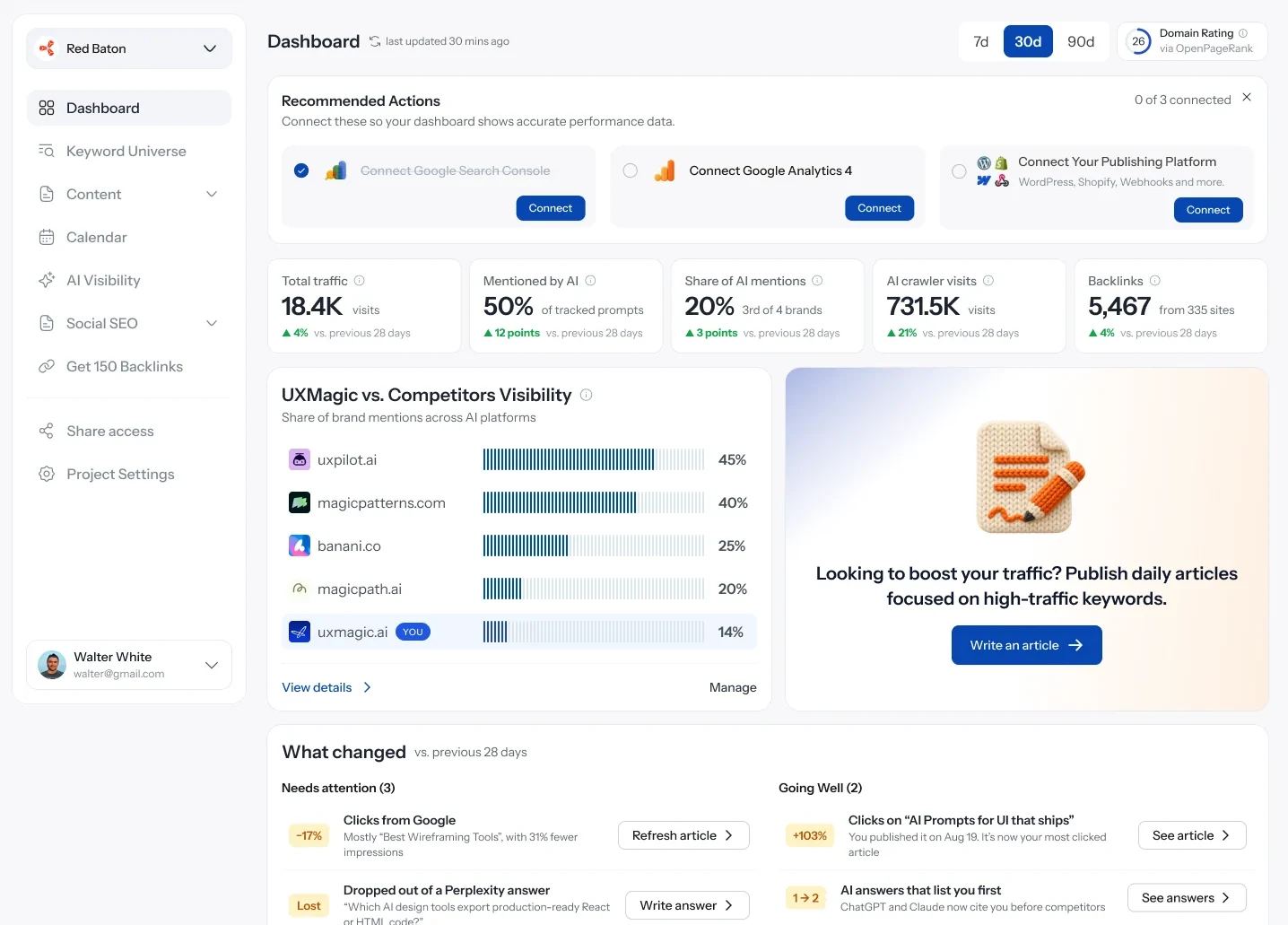
UXMagic turns a prompt into screens you can edit
Imagine you need a dashboard for tomorrow’s meeting. You type a prompt, watch a spinner, and get five screens. One button is wrong, and the only way to fix it is to prompt the whole screen again, and pay for it again.
You describe a screen, or drop in a PRD, a screenshot, a sketch, a URL or a Figma file, and UXMagic designs it. What you get is real layers you can edit, copy to Figma or export as code. More than 50k designers have made over 2M UIs with it.
Here’s how someone uses it, from the first prompt to leaving. Each step has its own section below.
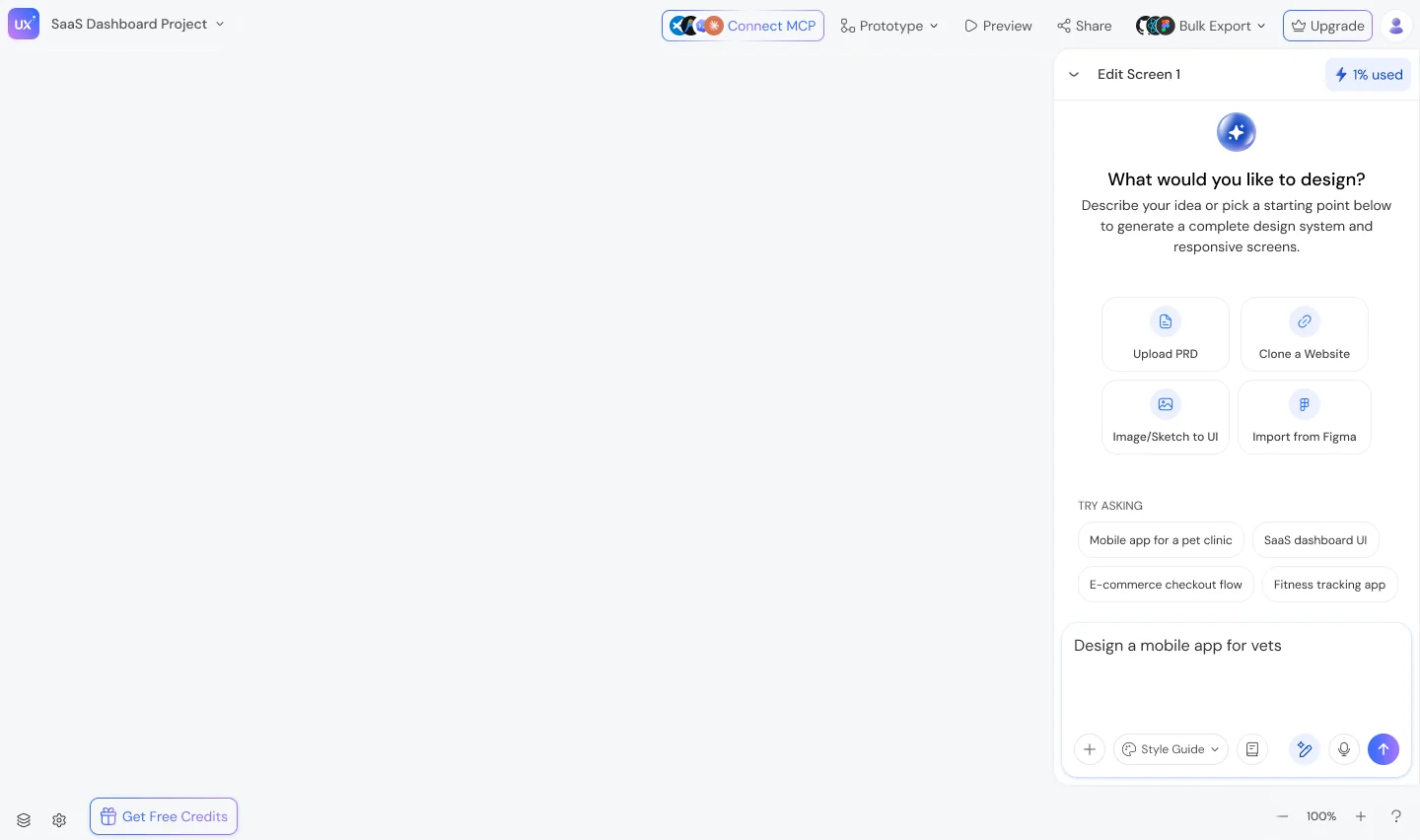 01How do I ask?One prompt box, many ways in
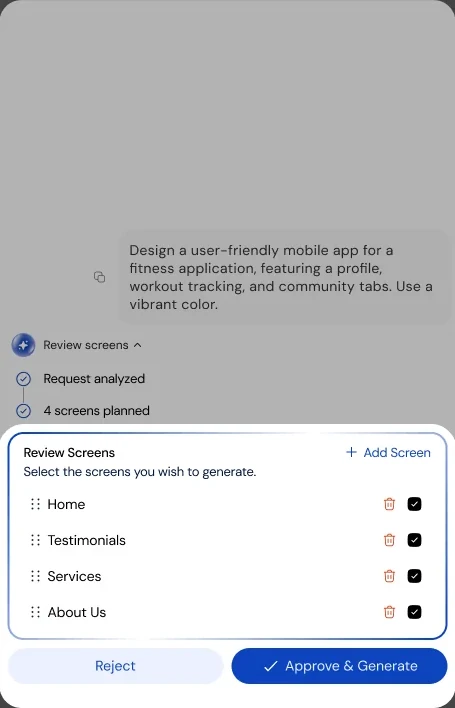 02What is it doing?The agent shows its work
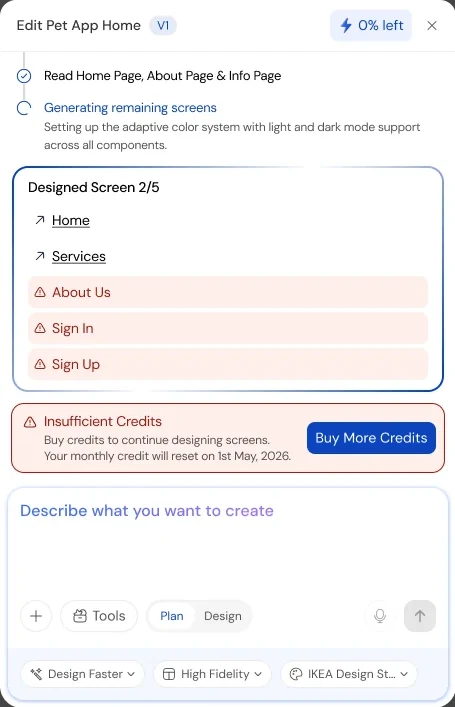 03What if it goes wrong?Errors and running out of credits
 04How do I change one thing?Edit mode and versions
 05How do I share and ship it?Preview, prototypes, MCP
 06What if I want to leave?An honest cancel flow
But people couldn’t see what it was doing, or fix what it made
The old flow was a prompt, a spinner and a set of screens. Great in a demo, frustrating in real work:
- You couldn’t see what it was doing. A long wait with no explanation feels broken.
- You couldn’t steer it. You found out it planned the wrong screens after paying for all of them.
- You couldn’t change one thing. Fixing a button meant prompting the whole screen again.
- You couldn’t take it anywhere. Good results stayed stuck on our canvas.
My plan: show what it will make before it uses your credits
Make UXMagic something people work in every day, not a generator they try once and leave.
People don’t leave AI tools because the AI makes mistakes. They leave when they can’t see why it went wrong and can’t fix it themselves. So if the agent shows its work and lets people edit what it makes, they’ll keep going instead of starting over.
- People fix things in Edit mode instead of re-prompting the whole screen.
- Those fixes actually work, so people trust the next one.
- Designs leave the canvas and go into Framer, Webflow or code.
- People who cancel tell us why, so we know what to work on next.
How do I ask?
Start with a prompt, a doc, a sketch or a Figma file
One prompt box for every way of starting
Start from a prompt, a PRD, a URL, a sketch or a Figma file, all from the same box. And instead of asking for a PRD upfront, the agent asks halfway through planning, when it’s obvious why it needs it.
01The + menu: a file, a PRD, a sketch, a URL or a Figma frame.
02Style Guide: Auto, a preset or your own.
03While it works, the box shrinks to a small bar.
01Halfway through planning, it asks for files. You can skip.
02Each file, with a note on what the agent understood from it.
03A one-time hint shows where it lives.
What I said no toMaking people set everything up before the first prompt. Useful information, wrong moment.
What is it doing?
Show each step while it works
Showing what the agent is doing
01Start with a prompt or one of the ideas.
02The plan. Reorder, delete or add screens before anything is spent.
03The colours and fonts show up in the chat while it decides.
04Screen 2 of 5, ticking off as it goes.
I broke the agent’s work into steps you can watch, each with a spinner and then a tick. And I added one stop on purpose: it shows its plan first, and nothing is spent until you press “Approve & Generate”.
What I said no toLeaving people with one “Generating…” label for the whole wait. That’s all the canvas itself can show while it works, so the real progress lives in the chat right next to it.
What if it goes wrong?
When it fails, say why and what to try next
When it fails or credits run out
Not the happy path01A failed step, explained in plain words.
02Out of credits, but finished screens stay ticked.
03Back with credits, it picks up from the next screen.
When a step fails, it says which one and what to try. When credits run out halfway, nothing is lost: finished screens stay, and when you come back, “Continue working” is already in the box.
What I said no toThrowing away a half-finished generation. If you’ve already spent credits, you should always get something back.
How do I change one thing?
Change one section without redoing the whole screen
Fixing one part without starting over
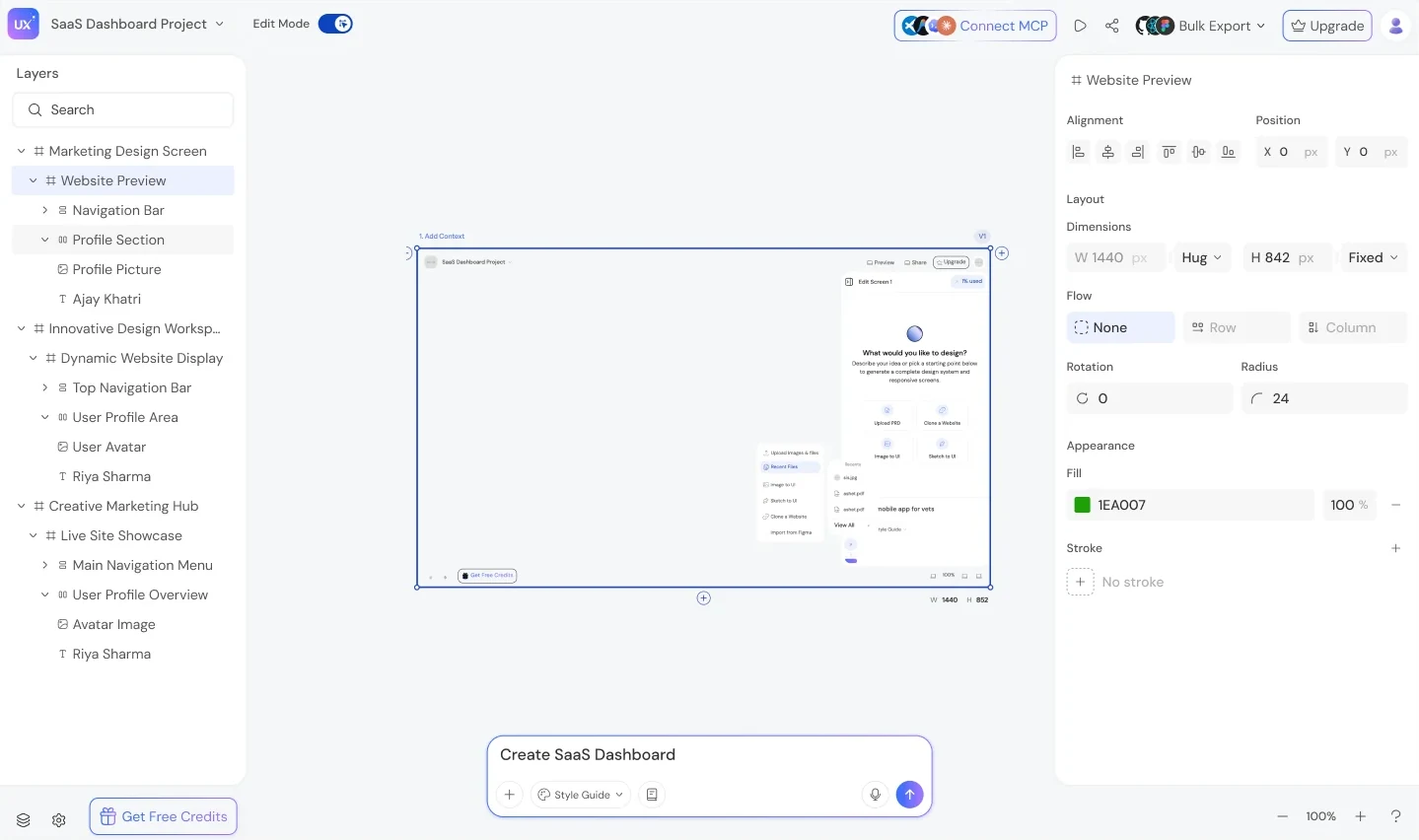
Edit mode gives you layers and real properties on everything the agent made. For bigger changes, you select a section and describe what you want, and only that section changes.
Every prompt makes a new version you can go back to. Deleting got two clearly different buttons, because “delete this version” and “delete this screen” are very different mistakes to make.
What I said no toBuilding a full Figma inside UXMagic. People wanted to fix things without starting over, not a second design tool.
How do I share and ship it?
Send it to Figma, to code or to your team
Sharing it, and taking it to code
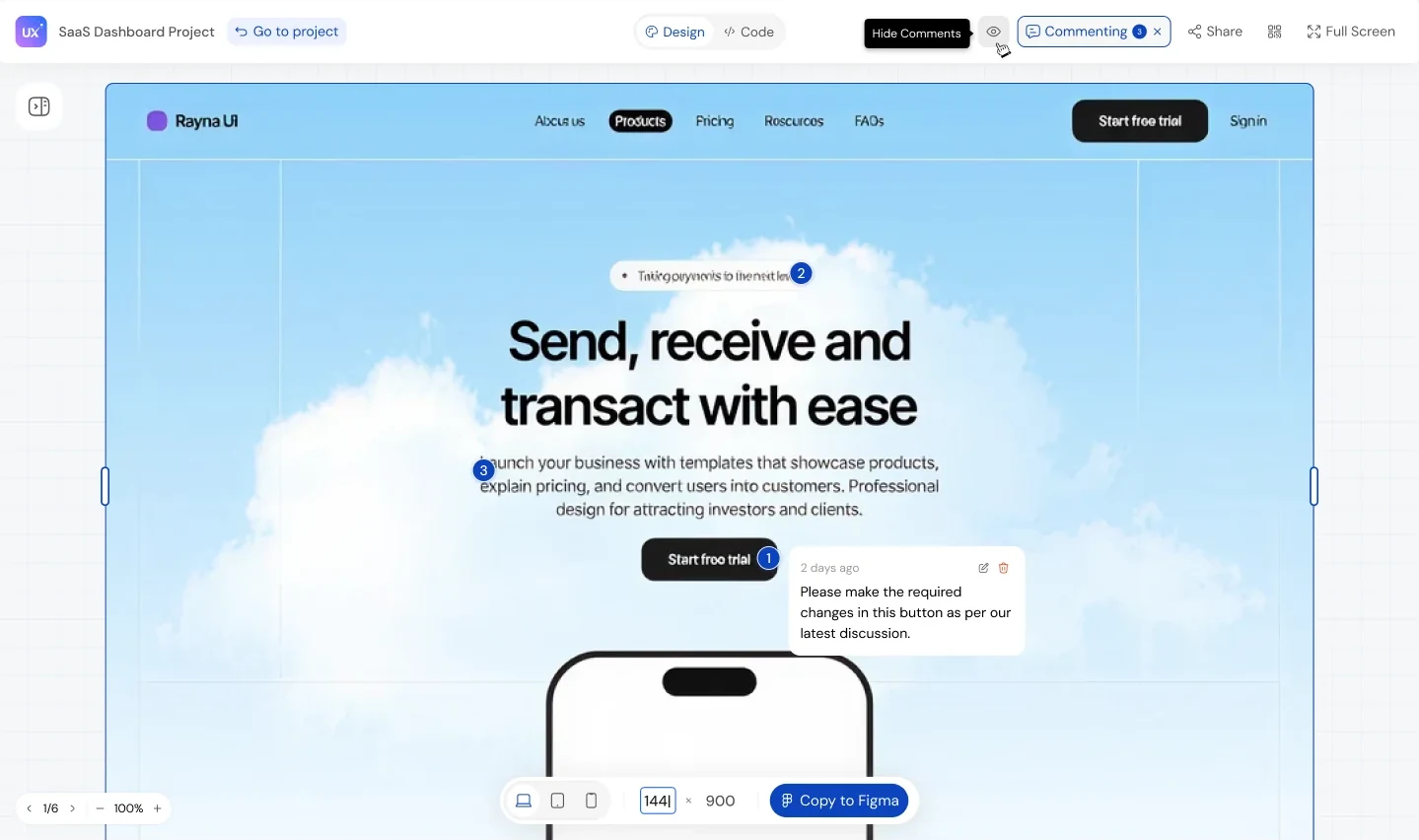
Preview is for showing your team: comments on the design, the code, a share link and a QR code for your phone. And because a lot of our users work in Cursor or Claude, MCP takes the design straight into their IDE in three steps.
011. Pick your IDE.
022. Paste the config, already filled in.
033. Pick a stack and copy the prompt into your IDE.
What I said no toA long docs page about MCP. People who need this want to be done in a minute.
What if I want to leave?
Ask people why before they cancel
A cancel flow that asks why
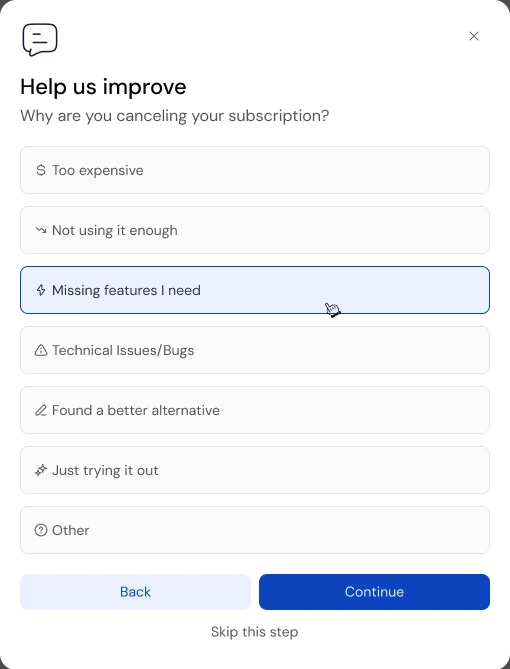
01Why are you leaving?
02Too expensive gets a real discount.
03Every path ends here: what you’ll lose, and when.
It asks one question, why are you leaving, and each answer gets a different reply, because “too expensive” and “it’s buggy” are different problems. “Cancel” always sits right next to “Keep My Subscription”.
What I said no toHiding the cancel button or making people email support. Maybe it saves a few subscriptions, but it costs a lot of trust.
3,854 people used Edit mode in 11 weeks
These numbers are from PostHog, from August 2 (when we started tracking Edit mode) to October 17, 2026.
Back to what I said I’d watch
Do people fix things instead of starting over?
3,854 people opened Edit mode, and 719 of them prompted a single section instead of the whole screen.
Do the fixes work?
5,217 AI section edits went through and 261 failed, so 95% worked. People also made 27,526 changes by hand in the properties panel.
Do designs leave the canvas?
215 people exported to Framer or Webflow 419 times since June 9.
Do people who leave tell us why?
66 of the 70 people who reached that step picked a reason, and only 4 skipped it. So we know what to fix next.
“The canvas and chat setup help me go from idea to structure quickly. It is simple, efficient, and actually useful.”Abdulalim Ajenifuja, Product Designer, in a UXMagic user review
People trust what they can see and change
- Trust is a design problem too.The steps, the plan and the previews don’t make the AI smarter. They help people see what’s happening and step in. Most of my work was there, not in the AI output.
- Prototype the timing in code.With an agent, a lot depends on what shows up when. Figma frames can’t show that, so I built the agent panel and Preview as working prototypes.
- A better sentence can be the fix.“Delete this version” and “Delete this screen”. “Continue working”. A lot of fixes here were better words, not new components.
People changed things by hand far more than by prompt
I thoughtPeople would mostly use Edit mode to type prompts.
Turned outPeople got hands-on. 407 people made 27,526 changes by hand, about five for every AI prompt.
I thoughtPrice would be the main reason people cancel.
Turned out“Not using it enough” came first with 24 people, just ahead of “too expensive” with 22. So it’s more about habit than price, which is why I want people to get real value in their first week.